Global Brief
Kimi K3 launch 2026: 10 AI coding assistants compared

By Julia MeyerLast updated 2026-07-18
Some price links may be affiliate links.

Kimi K3 changes the shortlist, not the buying method
Moonshot AI's new Kimi K3 has drawn attention for coding and long-context work, putting Kimi Code beside established paid agents. That makes a fresh comparison sensible, but the practical decision is still about the harness around the model: where it runs, what it can change and how usage is charged.
Model access is not the whole product
Kimi K3 can be selected through Kimi Code, while rival subscriptions package different editors, terminals, cloud sandboxes, pull-request agents and review tools. Compare the service surface before comparing a benchmark number.
Large context has an entitlement cost
Kimi documents different K3 context ceilings by membership tier. Other products compact context, index repositories or send work to a cloud environment, so usable repository context is more important than the largest advertised window.
Agent work makes allowances less predictable
A single multi-file task may read, reason, run tests and revise several times. Credit, quota and rate-window rules therefore matter more than the base monthly label for sustained coding.
More autonomy raises the permission stakes
Terminal, browser, deployment and cloud-account access can save time, but only when branches, secrets, network reach and destructive commands are deliberately constrained.
Issue context: Moonshot AI's Kimi K3 and Kimi Code documentation, launch reporting by AP, and an independent model-analysis profile; checked 18 July 2026.
Check points
Direct individual planUse the provider's official global product or pricing page. Confirm that the plan is available in the account country, which currency reaches checkout, whether tax is added, and when renewal occurs.
Usage-based routeWhen API, extra credits, cloud compute or on-demand usage sits beside the subscription, set a hard spend limit and test one bounded repository task before enabling automatic overage.
Team or employer accountAsk the repository owner which providers, data regions, training settings, identity systems and command permissions are approved. An individual card purchase does not override an organization policy.
Quick brief
Start with the development surface you will actually keep open every day.

Best direct route to Kimi K3
Moonshot AI Kimi Code
Developers specifically evaluating Kimi K3 on a large repository or through a CLI-compatible coding harness.
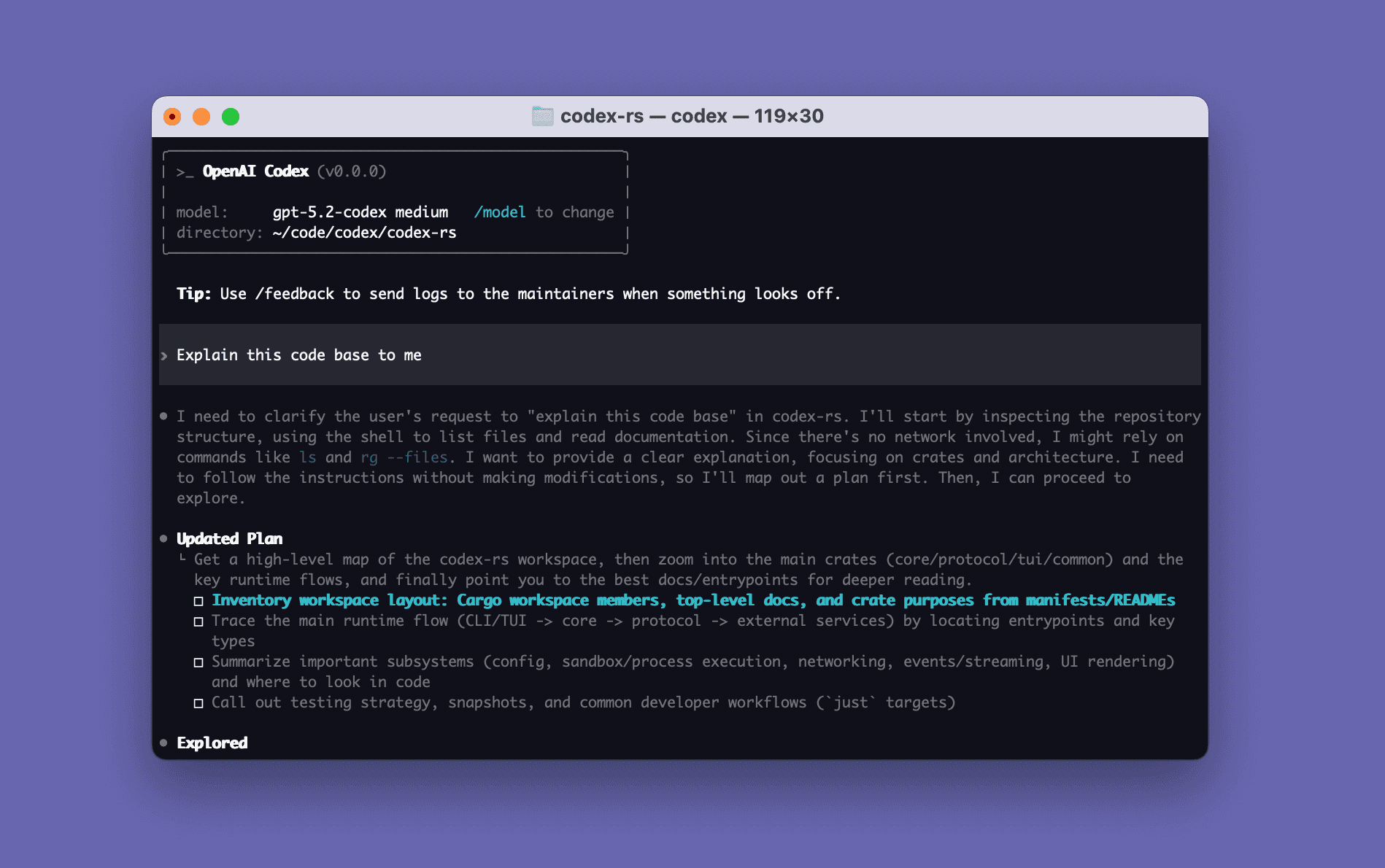
Best multi-surface agent workspace
OpenAI Codex
Developers who want local and cloud coding tasks, parallel agents and review in one account rather than only inline
Best terminal-first repository agent
Anthropic Claude Code
Terminal-comfortable developers who want a mature repository agent with hooks, subagents and strong command-line
Best GitHub-native all-rounder
GitHub Copilot
Developers already centered on GitHub who want completion, agent tasks, CLI and pull-request review under one

Best AI-first code editor
Anysphere Cursor
Developers willing to make an AI-first editor their daily workspace for fast tab completion and in-editor agent tasks.
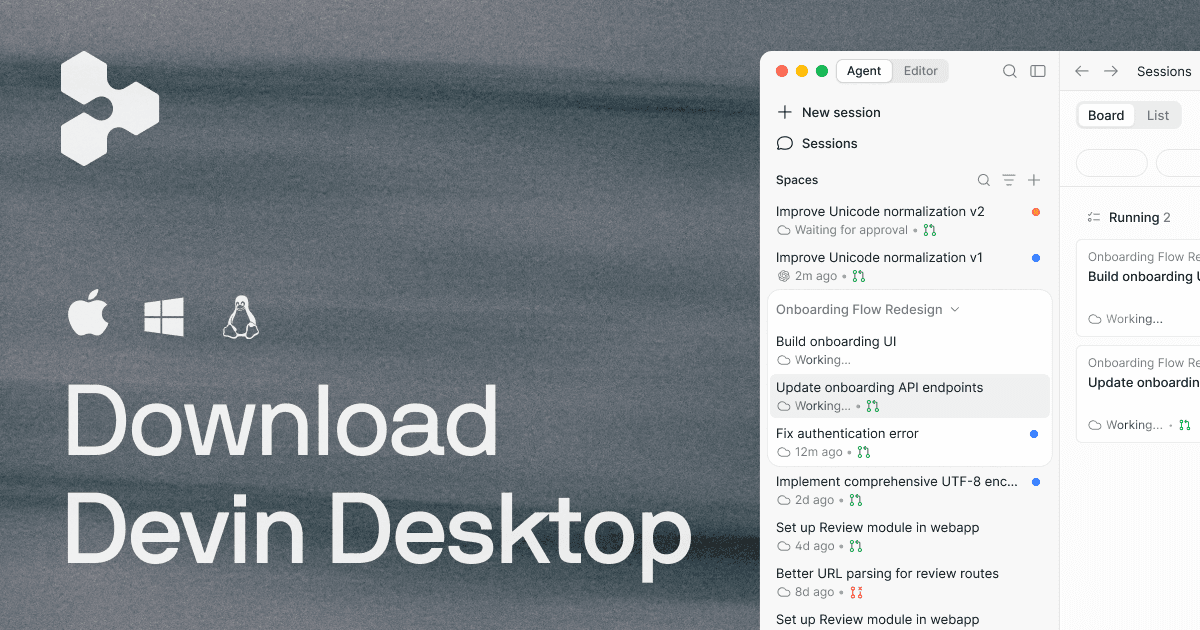
Best local-editor and cloud handoff
Cognition Devin Desktop
Individuals who want quick local edits and a deliberate handoff to asynchronous cloud work without buying a team plan.
Best visual agent manager
Google Antigravity
Developers who want to supervise several agent tasks visually and use browser verification beside editor

Best JetBrains-native choice
JetBrains AI
IntelliJ-platform users who want AI to work with the IDE's project model and refactoring tools without changing editors.
Best for AWS-heavy development
AWS Amazon Q Developer
Developers whose daily work is tied to AWS services or planned Java and .NET modernization.

Best browser-to-deployment builder
Replit Agent
People who value a fast path from idea to hosted web app more than a local repository-first engineering routine.
The cheapest plan can create the costliest routine
Base prices conceal different meters. Kimi combines plan entitlement with quota windows and optional Extra Usage; GitHub uses AI credits and may add Actions minutes for review; Cursor can continue through on-demand billing; Devin and Replit meter cloud or effort-based work. Compare the cost of a completed, reviewed task rather than the number printed beside Subscribe.
Compare the 10 coding assistants
Compare workspace surface, agent execution, repository context, plan and usage, privacy controls and the clearest reason to skip.
1. Moonshot AI Kimi Code
Specs / fit
Kimi Code CLI, VS Code / Reads + edits files / K3 supports 256K
Check first
K3 entitlement + 256K versus 1M context + weekly quota
2. OpenAI Codex
Specs / fit
Codex in ChatGPT / Local sandbox work / Project instructions
Check first
Supported ChatGPT plan + included credits + local versus cloud execution
3. Anthropic Claude Code
Specs / fit
Terminal, VS Code / Edits files, runs shell / CLAUDE.md, Skills
Check first
Pro usage ceiling + terminal prerequisites + permission mode
4. GitHub Copilot
Specs / fit
GitHub, VS Code, Visual / Inline completion / Open files, repository
Check first
AI-credit allowance + model multipliers + Actions-minute use for review
5. Anysphere Cursor
Specs / fit
Cursor desktop editor / Tab completion, inline / Indexed codebase
Check first
Extension migration + included model usage + on-demand toggle
6. Cognition Devin Desktop
Specs / fit
Devin Desktop editor / Local inline editing / Desktop project context
Check first
Included cloud compute + local-versus-cloud boundary + repository credentials
7. Google Antigravity
Specs / fit
Antigravity IDE with / Local + asynchronous / Project folders
Check first
Current plan + OS support + project folder boundary
8. JetBrains AI
Specs / fit
IntelliJ IDEA, PyCharm / AI Assistant, Junie / JetBrains project
Check first
Supported IDE + license + monthly AI credits
9. AWS Amazon Q Developer
Specs / fit
VS Code, JetBrains / Agentic coding, chat / Repository context plus
Check first
Builder ID versus Identity Center + supported region + IAM scope
10. Replit Agent
Specs / fit
Browser-based Replit / Builds + runs / Replit project files
Check first
Included credits + effort billing + spending cap
All routes lead to official services. Prices remain unavailable where a single amount would omit annual terms, tax, credits, overage or account-country conditions.
Product notes
Best direct route to Kimi K3
1. Moonshot AI Kimi Code
Developers specifically evaluating Kimi K3 on a large repository or through a CLI-compatible coding harness.
Today's best routes
Moonshot AI official service route
Retail route - The English documentation and direct web signup suit global buyers, but checkout currency, payment acceptance and Kimi service availability must be confirmed for the account country.
Warranty / returnKimi states that Extra Usage balances are generally non-refundable and subscription quota does not roll over; inspect the current cancellation and renewal terms before enabling overage.
Check pointsSubscribe through kimi.com, confirm that the account country is supported, and verify the exact K3 plan tier, weekly quota, five-hour limit and Extra Usage cap before payment.
Specifications
- Workspace surface
- Kimi Code CLI, VS Code extension and compatible third-party agents
- Agent execution
- Reads and edits files, searches repositories and runs commands through the selected client
- Repository context
- K3 supports 256K context on Moderato and up to 1M on Allegretto or higher
- Plan and usage
- K3 requires Moderato or above; weekly quota, a rolling five-hour window and optional Extra Usage apply
- Privacy and control
- API keys and bound devices share the account quota; local tool permissions still control repository and shell reach
- Specs / fit
- Kimi Code CLI, VS Code extension and compatible third-party agents. Reads and edits files, searches repositories and runs commands through the selected client. K3 supports 256K context on Moderato and up to 1M on Allegretto or higher.
Buyer notes
This is the cleanest K3 comparison entry because it buys the actual Kimi coding service, not an unrelated chat wrapper that merely mentions the model.
Editor's verdict
It is the only exact product here that exposes Kimi K3 through a developer-focused CLI and editor route with a documented long-context tier.
Reasons to buy
- Only direct K3 coding-service route in the list
- Very large documented context ceiling
- Works through official and compatible third-party clients
Reasons to avoid
- K3 is unavailable below Moderato
- The 1M window needs a higher tier
- Quota and Extra Usage create more than one spend control
Check points
Best multi-surface agent workspace
2. OpenAI Codex
Developers who want local and cloud coding tasks, parallel agents and review in one account rather than only inline completion.
Today's best routes
OpenAI official service route
Retail route - Codex is offered through global ChatGPT account routes. Buyers must check plan availability, local tax, payment method and organization data terms in their own account country.
Warranty / returnCodex access follows the underlying ChatGPT subscription and credit terms; verify cancellation, remaining-credit treatment and organization billing before purchase.
Check pointsBuy only through OpenAI's supported ChatGPT route. Confirm whether the chosen plan includes Codex, which credits are included and whether API billing is separate.
Specifications
- Workspace surface
- Codex in ChatGPT, desktop app, CLI and IDE extension
- Agent execution
- Local sandbox work, cloud tasks, parallel agents, worktrees, code review and scheduled routines
- Repository context
- Project instructions, Skills, repository files and connected development context shape each task
- Plan and usage
- Included access and credit consumption depend on the ChatGPT plan, model and task token use
- Privacy and control
- Sandboxing, approval policy, network controls and organization settings bound what an agent can access
- Specs / fit
- Codex in ChatGPT, desktop app, CLI and IDE extension. Local sandbox work, cloud tasks, parallel agents, worktrees, code review and scheduled routines. Project instructions, Skills, repository files and connected development context shape each task.
Buyer notes
Codex is the broadest agent command center in this comparison; the buying question is whether that multi-surface setup earns its variable credit use.
Editor's verdict
It combines editor, terminal, desktop and cloud delegation while preserving explicit project instructions and reviewable changes.
Reasons to buy
- Local and cloud task routes
- Parallel agent and worktree support
- Strong repository-instruction system
Reasons to avoid
- Usage cost varies by task and model
- High autonomy needs careful permission setup
- The plan includes more than a standalone coding tool
Check points
Best terminal-first repository agent
3. Anthropic Claude Code
Terminal-comfortable developers who want a mature repository agent with hooks, subagents and strong command-line tool access.
Today's best routes
Anthropic official service route
Retail route - The product supports Windows, macOS and Linux and is sold through Claude's global account route; local payment, tax and supported-country status still need checkout confirmation.
Warranty / returnClaude Code inherits Claude plan billing and usage limits; compare monthly versus annual commitment and confirm cancellation timing before paying up front.
Check pointsSubscribe through claude.com and confirm supported-country status, Pro usage limits, annual terms and whether any API-key fallback will create a separate Anthropic bill.
Specifications
- Workspace surface
- Terminal, VS Code, JetBrains, desktop, web and Git hosting integrations
- Agent execution
- Edits files, runs shell and Git tasks, uses subagents, hooks, MCP and scheduled routines
- Repository context
- CLAUDE.md, Skills, repository search, automatic compaction and subagent context
- Plan and usage
- Claude Pro includes Claude Code for shorter sprints; limits are shared and API use is billed separately
- Privacy and control
- Permission prompts, hooks, managed settings and enterprise controls govern tools and data paths
- Specs / fit
- Terminal, VS Code, JetBrains, desktop, web and Git hosting integrations. Edits files, runs shell and Git tasks, uses subagents, hooks, MCP and scheduled routines. CLAUDE.md, Skills, repository search, automatic compaction and subagent context.
Buyer notes
Claude Code remains the clearest terminal-native option, but Pro is a sprint tier rather than a promise of continuous heavy agent use.
Editor's verdict
Its terminal-centered routine can use the repository's real tools instead of forcing work through a separate visual builder.
Reasons to buy
- Deep command-line integration
- Mature customization and hook system
- Available across major desktop platforms
Reasons to avoid
- Pro limits can interrupt sustained work
- Terminal permissions need deliberate setup
- API billing is separate from subscription use
Check points
Best GitHub-native all-rounder
4. GitHub Copilot
Developers already centered on GitHub who want completion, agent tasks, CLI and pull-request review under one familiar account.
Today's best routes
GitHub official service route
Retail route - GitHub sells the individual plan globally in USD where supported. Tax, student eligibility, payment method and organization-seat conflicts vary by account.
Warranty / returnConfirm monthly or annual renewal, AI-credit overage settings and whether an organization seat changes individual eligibility before purchase.
Check pointsPurchase through the signed-in GitHub account, confirm individual versus organization entitlement, and review AI-credit multipliers, overage settings and Actions-minute consumption.
Specifications
- Workspace surface
- GitHub, VS Code, Visual Studio, JetBrains, Xcode, Eclipse and CLI
- Agent execution
- Inline completion, chat, agent mode, cloud coding agent, code review and CLI tasks
- Repository context
- Open files, repository instructions, Copilot Spaces and GitHub issue or pull-request context
- Plan and usage
- Pro combines unlimited completions with a monthly AI-credit allowance for chat, agents and review
- Privacy and control
- Personal-plan training choice, repository policies and organization controls vary by account type
- Specs / fit
- GitHub, VS Code, Visual Studio, JetBrains, Xcode, Eclipse and CLI. Inline completion, chat, agent mode, cloud coding agent, code review and CLI tasks. Open files, repository instructions, Copilot Spaces and GitHub issue or pull-request context.
Buyer notes
Copilot Pro has the lowest migration friction for a GitHub-centered routine, but agent and review use now needs active credit monitoring.
Editor's verdict
It minimizes tool switching for developers whose issues, repositories, reviews and editor sign-in already live on GitHub.
Reasons to buy
- Excellent GitHub task fit
- Wide IDE and CLI coverage
- Completion and agent features in one plan
Reasons to avoid
- Agent usage consumes AI credits
- Code review can also consume Actions minutes
- Individual data controls need account review
Check points
Best AI-first code editor
5. Anysphere Cursor
Developers willing to make an AI-first editor their daily workspace for fast tab completion and in-editor agent tasks.
Today's best routes
Anysphere official service route
Retail route - Cursor's direct USD checkout is available to many global users, but tax, card acceptance and service availability must be checked for the buyer's country.
Warranty / returnCheck whether billing is monthly or annual, whether on-demand usage is enabled and how cancellation affects the current term before subscribing.
Check pointsCursor states that it has no authorized resellers. Buy only at cursor.com, confirm tax and renewal, and leave on-demand usage disabled until a bounded trial shows the likely spend.
Specifications
- Workspace surface
- Cursor desktop editor based on the VS Code extension ecosystem
- Agent execution
- Tab completion, inline commands, Agent, cloud agents, MCP, Skills, hooks and Bugbot links
- Repository context
- Indexed codebase, rules, open files, MCP sources and cloud-agent repository context
- Plan and usage
- Individual Pro includes a model-usage allowance; optional on-demand usage is billed after it
- Privacy and control
- Privacy Mode and team settings control training use, retention and organization policy
- Specs / fit
- Cursor desktop editor based on the VS Code extension ecosystem. Tab completion, inline commands, Agent, cloud agents, MCP, Skills, hooks and Bugbot links. Indexed codebase, rules, open files, MCP sources and cloud-agent repository context.
Buyer notes
Cursor is easier to justify as a replacement editor than as an extra subscription beside an IDE the team refuses to leave.
Editor's verdict
It puts completion, repository search and agent editing in one coherent editor instead of layering separate tools over a general IDE.
Reasons to buy
- Tight completion-to-agent handoff
- Familiar extension ecosystem
- Privacy Mode is clearly surfaced
Reasons to avoid
- Requires an editor migration
- On-demand usage can add cost
- Cloud features extend the data boundary
Check points
Best local-editor and cloud handoff
6. Cognition Devin Desktop
Individuals who want quick local edits and a deliberate handoff to asynchronous cloud work without buying a team plan.
Today's best routes
Cognition official service route
Retail route - The self-serve product is sold online in USD for supported accounts. Confirm account-country access, tax and the location or policy fit of cloud execution.
Warranty / returnSelf-serve plans are digital subscriptions with tier-specific compute. Confirm cancellation, unused compute treatment and any on-demand charge before renewal.
Check pointsUse devin.ai's self-serve route, verify the individual Pro allowance, auto-reload status and session spending limit, and compare Max or Teams only if cloud usage is sustained.
Specifications
- Workspace surface
- Devin Desktop editor paired with Devin cloud sessions
- Agent execution
- Local inline editing and agent work plus longer asynchronous tasks in Devin's cloud environment
- Repository context
- Desktop project context and cloud-session repository access are managed as separate execution paths
- Plan and usage
- Pro is a single-user entry plan with limited cloud Agent Compute Units; heavier use moves to higher tiers
- Privacy and control
- Repository connections and credentials must be scoped separately for local editing and remote cloud work
- Specs / fit
- Devin Desktop editor paired with Devin cloud sessions. Local inline editing and agent work plus longer asynchronous tasks in Devin's cloud environment. Desktop project context and cloud-session repository access are managed as separate execution paths.
Buyer notes
Devin Desktop makes the most sense when the local and cloud halves are both useful; buying it only for autocomplete leaves its main distinction unused.
Editor's verdict
It offers a distinct path for starting interactively in a desktop editor and moving a longer task to a remote agent.
Reasons to buy
- Local and asynchronous work in one product
- Clear single-user entry tier
- Cloud delegation for longer tasks
Reasons to avoid
- Cloud compute is limited
- New editor adoption is required
- Heavy usage jumps to much higher tiers
Check points
Best visual agent manager
7. Google Antigravity
Developers who want to supervise several agent tasks visually and use browser verification beside editor and terminal work.
Today's best routes
Google official service route
Retail route - The English product route is global, but supported operating systems, Google-account eligibility and any paid allowance must be checked in the buyer's location.
Warranty / returnTreat current access as a changing cloud service. Confirm paid-plan, cancellation and data terms in the Google account before relying on it for production work.
Check pointsUse the official antigravity.google route and verify account-country eligibility, supported OS, current allowance and any paid-plan terms shown at signup.
Specifications
- Workspace surface
- Antigravity IDE with Editor view and an agent-manager surface
- Agent execution
- Local and asynchronous agents operate across editor, terminal and browser and report through artifacts
- Repository context
- Project folders, workspace rules, artifacts and knowledge items provide task and repository context
- Plan and usage
- Public plan and allowance details change with the preview and account; verify the current access screen
- Privacy and control
- Strict Mode, file boundaries, sandbox, network toggles and command review control agent reach
- Specs / fit
- Antigravity IDE with Editor view and an agent-manager surface. Local and asynchronous agents operate across editor, terminal and browser and report through artifacts. Project folders, workspace rules, artifacts and knowledge items provide task and repository context.
Buyer notes
Antigravity has the clearest visual orchestration idea here, but its evolving product and allowance make a short controlled trial essential.
Editor's verdict
It makes parallel agent state and verification artifacts visible instead of hiding every task inside one chat thread.
Reasons to buy
- Visual multi-agent management
- Built-in browser verification
- Detailed permission and sandbox controls
Reasons to avoid
- Fast-moving product surface
- Current price and allowance need account confirmation
- Broad browser and shell reach raises setup risk
Check points
Best JetBrains-native choice
8. JetBrains AI
IntelliJ-platform users who want AI to work with the IDE's project model and refactoring tools without changing editors.
Today's best routes
JetBrains official service route
Retail route - JetBrains sells individual AI plans globally in USD or localized checkout where available; IDE-license requirements, tax and payment route vary by country.
Warranty / returnConfirm the AI subscription term separately from the IDE license, plus top-up and connected-provider charges, before annual renewal.
Check pointsBuy from JetBrains, confirm what the existing IDE license already includes, and check the exact AI-credit allowance, annual term, top-up rules and BYOK charges.
Specifications
- Workspace surface
- IntelliJ IDEA, PyCharm, WebStorm, Rider and other supported JetBrains IDEs
- Agent execution
- AI Assistant, Junie and supported external agents such as Claude Agent or Codex inside the IDE
- Repository context
- JetBrains project model, code insight, .aiignore and IDE-specific refactoring context
- Plan and usage
- AI Pro includes a monthly AI-credit allowance; top-ups and connected provider keys can add separate cost
- Privacy and control
- BYOK, local models, .aiignore and organization settings offer several data-control routes
- Specs / fit
- IntelliJ IDEA, PyCharm, WebStorm, Rider and other supported JetBrains IDEs. AI Assistant, Junie and supported external agents such as Claude Agent or Codex inside the IDE. JetBrains project model, code insight, .aiignore and IDE-specific refactoring context.
Buyer notes
JetBrains AI is the conservative choice for an existing JetBrains setup: preserve the IDE first, then decide which built-in or connected agent earns credits.
Editor's verdict
It uses JetBrains' existing code model and refactoring surface, reducing the context lost when work is pushed into a separate editor.
Reasons to buy
- No editor migration for JetBrains users
- Refactoring-aware project context
- Flexible provider and local-model options
Reasons to avoid
- Credit allowance is finite
- Agent support differs by IDE
- Some routes require another provider bill
Check points
Best for AWS-heavy development
9. AWS Amazon Q Developer
Developers whose daily work is tied to AWS services or planned Java and .NET modernization.
Today's best routes
AWS official service route
Retail route - The software is globally accessible in supported AWS regions, but Pro activation, Identity Center support, tax and payer-account billing vary by account and region.
Warranty / returnAWS subscriptions activate through account usage and may aggregate charges at the payer account; verify deactivation and overage controls with the account owner.
Check pointsActivate through the correct AWS Builder ID or IAM Identity Center route, confirm the payer account, supported region, monthly seat charge and transformation overage.
Specifications
- Workspace surface
- VS Code, JetBrains, Visual Studio, Eclipse, CLI and AWS console surfaces
- Agent execution
- Agentic coding, chat, AWS assistance and Java or .NET application transformation
- Repository context
- Repository context plus AWS services, account resources and transformation project information
- Plan and usage
- Pro is billed per user with higher agent limits; transformation allocations and overage are separate
- Privacy and control
- Builder ID or IAM Identity Center determines admin controls, service access and data-use defaults
- Specs / fit
- VS Code, JetBrains, Visual Studio, Eclipse, CLI and AWS console surfaces. Agentic coding, chat, AWS assistance and Java or .NET application transformation. Repository context plus AWS services, account resources and transformation project information.
Buyer notes
Amazon Q Developer earns its place through AWS and modernization context, not because it is the most universal editor assistant.
Editor's verdict
It can connect coding help with AWS architecture and modernization tasks that generic assistants treat as disconnected context.
Reasons to buy
- Deep AWS service context
- Broad IDE and CLI support
- Dedicated modernization tasks
Reasons to avoid
- Less distinctive outside AWS
- IAM setup adds friction
- Transformation overage has separate billing
Check points
Best browser-to-deployment builder
10. Replit Agent
People who value a fast path from idea to hosted web app more than a local repository-first engineering routine.
Today's best routes
Replit official service route
Retail route - Replit is sold online to supported countries, with USD plan pricing and regional deployment options on paid tiers; tax and card acceptance vary by buyer.
Warranty / returnCore is a digital plan and agent work consumes credits. Set a spending cap, check annual commitment and understand deployment charges before using it on an open-ended build.
Check pointsSubscribe at replit.com, confirm annual versus monthly billing, included credits, effort pricing, deployment charges and workspace visibility before starting an open-ended build.
Specifications
- Workspace surface
- Browser-based Replit workspace with hosted runtime and deployment
- Agent execution
- Builds and runs applications, connects managed database and authentication, and deploys from the same workspace
- Repository context
- Replit project files, workspace state, hosted services and deployment configuration
- Plan and usage
- Core includes monthly credits; effort-based agent work, deployments and compute can create additional cost
- Privacy and control
- Workspace visibility, secrets, collaborators and deployment permissions are managed inside Replit
- Specs / fit
- Browser-based Replit workspace with hosted runtime and deployment. Builds and runs applications, connects managed database and authentication, and deploys from the same workspace. Replit project files, workspace state, hosted services and deployment configuration.
Buyer notes
Replit Agent compares as a hosted builder, not just a code assistant; its deployment convenience must be weighed against credit and platform costs.
Editor's verdict
It can turn a bounded app idea into a running hosted project without requiring local environment setup, database wiring and a separate deployment service.
Reasons to buy
- No local toolchain required
- Idea-to-deployment path
- Managed app services in one place
Reasons to avoid
- Effort billing can be variable
- Less suitable for a large local monorepo
- Deployment and compute add platform dependence
Check points
Top 3 picks
#1 Best direct route to Kimi K3 - Moonshot AI Kimi Code
It is the only exact product here that exposes Kimi K3 through a developer-focused CLI and editor route with a documented long-context tier.
#2 Best multi-surface agent workspace - OpenAI Codex
It combines editor, terminal, desktop and cloud delegation while preserving explicit project instructions and reviewable changes.
#3 Best terminal-first repository agent - Anthropic Claude Code
Its terminal-centered routine can use the repository's real tools instead of forcing work through a separate visual builder.
Final thoughts
Choose Kimi Code when direct K3 access and its documented context tiers are the reason for shopping; choose a rival when its editor, terminal, cloud or organization controls fit the work better.
A small paid plan is worthwhile when it reduces reviewed task time, not when it merely generates more code. Include correction time, failed runs and overage in that calculation.
Wait if the product cannot state the current allowance, data boundary or cancellation route for your account. A launch-week benchmark does not make those gaps less important.
What to check before buying
A model API is not a complete coding assistant
Raw Kimi K3 or another model endpoint still needs a trusted harness, repository tools, permission controls and a billing plan. Do not compare an API token price directly with a full IDE or cloud-agent subscription.
Autocomplete is not an autonomous repository agent
Inline suggestions, local multi-file edits, remote pull-request work and browser-driven deployment carry different benefits and risks even when one product offers several of them.
A context-window number is not proof of codebase understanding
Indexing, file selection, instructions, compaction and tool output decide what remains useful. Test whether the assistant finds the right dependency and preserves project conventions.
A monthly plan is not necessarily unlimited
Weekly quotas, rolling windows, AI credits, compute units, model multipliers and metered overage can all change the cost of one long agent session.
Do not give a trial agent production authority
Use a branch, test environment, least-privilege token and reviewed command policy. Keep production databases, deployment credentials and customer data out of the first comparison run.
Compare a free tier or API pilot before adding another plan
A free allowance can answer whether the editor surface and repository context fit. An API pilot can isolate model quality when the team already has a trusted harness. A paid subscription makes sense when its agent task path, included allowance and controls remove enough setup or review work to justify another renewal.
Before you buy
- Define one bounded repository task and its acceptance tests.
- Confirm the exact product surface: IDE, CLI, desktop, web or cloud agent.
- Write down every quota, credit, rate window and overage switch.
- Check repository, secret, shell, network and deployment permissions.
- Review retention, training controls and organization policy.
- Confirm account-country availability, currency, tax, renewal and cancellation.
- Keep a portable repository copy and require human review before merge.
Editor's comment
Give each viable assistant the same small repository issue, project instructions and test command. Track time to a reviewable diff, incorrect file changes, test pass rate, permission prompts, context recovery and total credits. A polished demo is less useful than knowing which product survives your normal merge standard.
Editor's comment
Kimi K3 deserves a place in a current coding-agent trial, especially for long-context work, but it does not erase the value of a mature harness. The better purchase is the service that reaches the right files, stays inside explicit permissions and leaves a diff your team can review without spending the saved time on cleanup.
FAQ
+Is Kimi K3 the same product as Kimi Code?
No. Kimi K3 is the model. Kimi Code is Moonshot AI's developer service and client route that can expose K3 on eligible plans. The service adds CLI, editor and third-party-agent access plus its own quota and account rules.
+Does Kimi Code provide the full 1M-token K3 context on every paid plan?
No. Kimi's model documentation states that Moderato supports K3 with a 256K context ceiling, while the up-to-1M window requires Allegretto or above. Third-party clients must also be configured to request the larger window.
+Which AI coding assistant is best for a large existing repository?
There is no universal winner. Test Kimi Code for its K3 context route, Codex or Claude Code for agentic terminal work, Cursor for editor-centered indexing, and GitHub Copilot for GitHub-native context. The deciding evidence is whether the tool finds the right files, follows repository rules and produces a reviewable tested diff.
+Can an individual subscription be used on company code?
Only when the employer allows that provider, account type and data path. Check repository policy, training controls, retention, identity, contractual terms and whether the organization requires a managed team plan.
+Why are prices marked unavailable in the comparison?
The services combine monthly or annual terms with tax, account-country availability, included credits, model-specific rates and optional overage. The comparison avoids presenting a conditional amount as a complete local checkout price; use each official route for the current total.
+How should I test an autonomous coding agent safely?
Use a disposable branch or repository copy, least-privilege credentials, a sandbox where available, restricted network access and a narrow task. Review every diff and command result, then run the project's own tests before merging.
About the author

Julia Meyer
Office & Study Editor
Julia Meyer covers Office & Study for TrendBrief. The focus is ergonomics, desk fit, software or device compatibility, and workflow, the differences that shape everyday fit and use.
See all Briefs by Julia Meyer