Europe Brief
Kimi K3 launch 2026: 10 AI coding assistants compared

By Julia MeyerLast updated 2026-07-18
Some price links may be affiliate links.

Kimi K3 puts long-context coding back on the shortlist
Moonshot AI's new Kimi K3 is available through Kimi Code with up to a one-million-token context window on eligible tiers. That is a meaningful new option for large repositories, but the subscription decision still turns on the service around the model: editor or terminal fit, tool permissions, allowance rules, review path and data handling.
K3 access depends on the membership tier
Kimi documents 256K context for K3 on Moderato and up to 1M on Allegretto and higher tiers. A buyer choosing Kimi for long context should verify the exact entitlement shown at checkout, not assume every paid plan exposes the maximum.
The coding harness changes the result
Codex, Claude Code and Kimi Code work through terminal and editor surfaces; Copilot is tightly tied to GitHub; Cursor and Antigravity replace the editor; Devin and Replit add cloud execution. Choose the working surface before choosing the model headline.
Agent allowances are harder to compare than seat prices
Five-hour windows, weekly quotas, AI credits, cloud compute, model multipliers and effort-based charges can all limit a long task. Measure the allowance consumed by one reviewed fix or feature rather than counting prompts.
European checkout and data terms vary by account
A global pricing page may quote USD while the final card charge includes VAT or currency conversion. Company-code use also requires the right controller or processor terms, retention settings, transfer safeguards and an approved account type.
Issue context: Google Trends observations in Great Britain and Germany, Kimi Code and Kimi K3 documentation, launch coverage, and an independent coding-agent pull-request study; checked 18 July 2026.
Check points
Euro-area individual checkoutUse the provider's official account and pricing page. Confirm whether the final invoice is in EUR or converted from USD, whether VAT is included or added, which entity supplies the service and when the subscription renews.
United Kingdom or non-euro checkoutCheck the final GBP or local-currency amount, card conversion, local tax line and consumer cancellation terms. Do not treat a USD marketing price as the amount that will reach the statement.
EU or EEA company repositoryUse an organization-approved account where required. Review the data-processing agreement, subprocessors, transfer mechanism, retention, training controls, identity management and audit options before connecting private code.
Usage-based or cloud-agent routeSet a hard budget and least-privilege integration before enabling extra credits, compute, deployment or automatic overage. Test data export and repository portability before the service becomes part of the release path.
Quick brief
Start with the development surface you will actually keep open every day.

Best direct route to Kimi K3
Moonshot AI Kimi Code
A developer specifically evaluating Kimi K3 on a large repository or through a CLI-compatible coding harness.
Best multi-surface coding agent
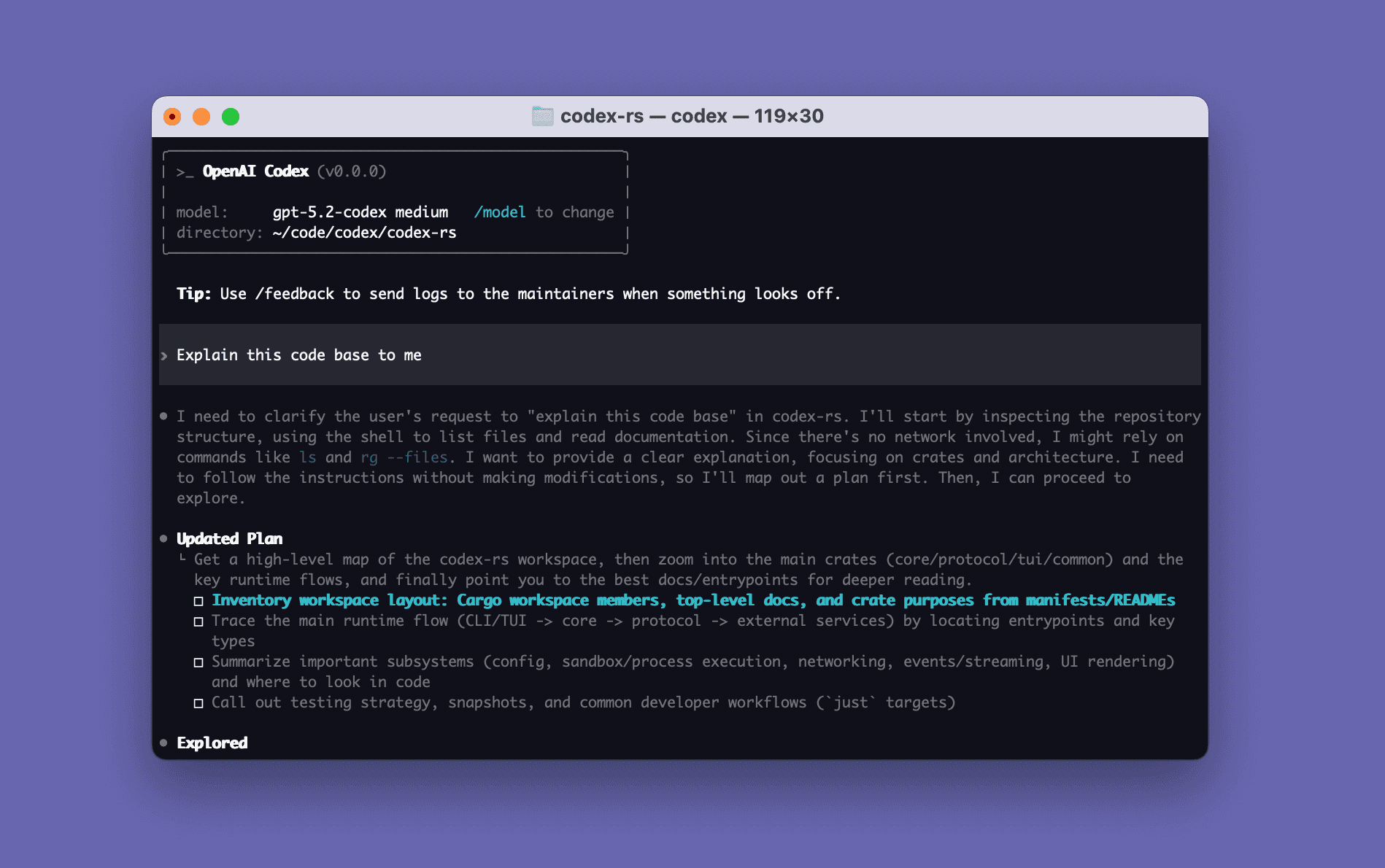
OpenAI Codex
Developers who want one agent account across terminal, editor, desktop and parallel cloud work.
Best terminal-first collaborator
Anthropic Claude Code
Developers who live in the terminal and want a conversational agent that can inspect, edit, test and explain a
Best GitHub-native routine
GitHub Copilot
A developer whose issues, pull requests, review and CI already live on GitHub and who wants minimal routine migration.

Best AI-first code editor
Anysphere Cursor
A VS Code-oriented developer who wants repository search, multi-file Agent work and predictive editing in one
Best local editor to cloud handoff
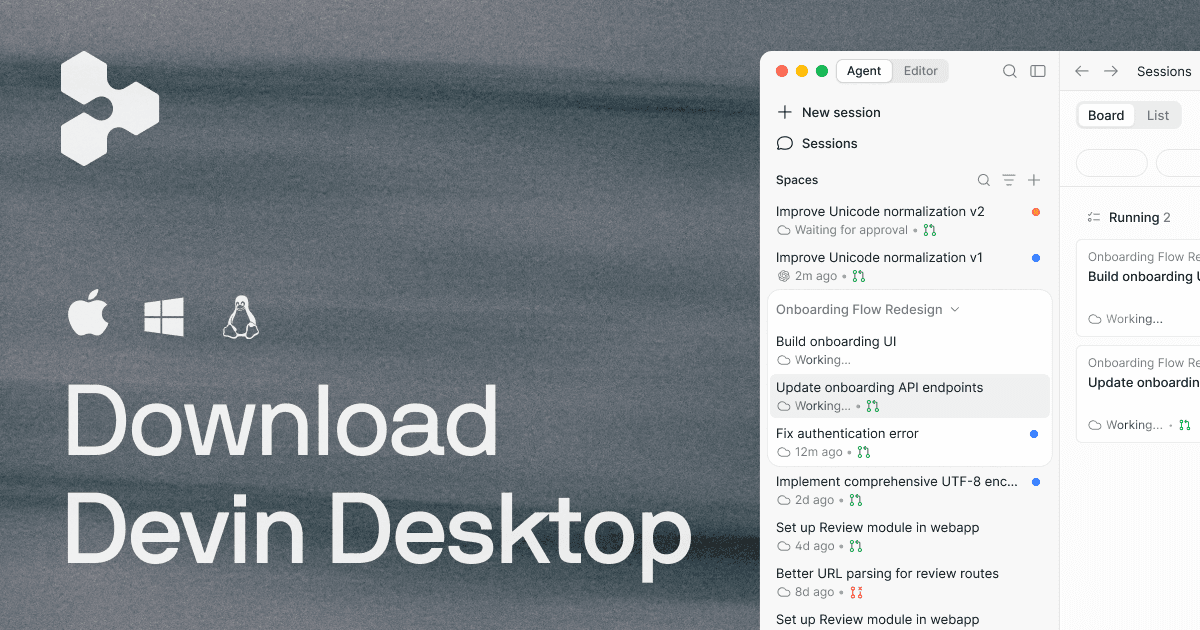
Cognition Devin Desktop
A developer who wants to start locally, delegate a longer task to the cloud and review the returned pull request later.

Best visual multi-agent manager
Google Antigravity
Web developers who want to supervise several coding and browser-verification agents from a visual manager.

Best JetBrains-native choice
JetBrains AI
An IntelliJ IDEA, PyCharm, WebStorm, Rider or other supported JetBrains user who wants AI to use the IDE's semantic
Best spec-led development path
AWS Kiro
Developers who want requirements and design decisions recorded before an agent implements a non-trivial feature.

Best browser-to-deployment builder
Replit Agent
For buyers who specifically need Replit's app and platform support.
A lower seat price can hide a larger task cost
Base subscriptions do not share one unit of work. Kimi and Claude use rate windows, GitHub and JetBrains use credits, Cursor can expose on-demand usage, Devin combines account limits with cloud sessions, and Replit meters agent effort beside hosted services. Compare the cost of a completed and reviewed task, including retries and failed runs.
Compare the 10 coding assistants
Compare workspace surface, agent execution, repository context, plan and usage, privacy controls and the clearest reason to skip.
1. Moonshot AI Kimi Code
Specs / fit
Kimi Code CLI, VS Code / The selected client can / K3 provides 256K
Check first
Moderato versus Allegretto + requested context window + five-hour
2. OpenAI Codex
Specs / fit
Codex in ChatGPT, the / Local sandboxed / Repository files
Check first
Plus entitlement + shared agentic usage + extra-credit switch
3. Anthropic Claude Code
Specs / fit
Claude Code in / The agent reads + edits / CLAUDE.md instructions
Check first
Shared Pro limits + five-hour window + usage bundle settings
4. GitHub Copilot
Specs / fit
Supported IDEs / Interactive agent mode / Open files, repository
Check first
AI Credit balance + model multiplier + coding-agent repository access
5. Anysphere Cursor
Specs / fit
Cursor's desktop / Agent can inspect / Repository indexing
Check first
Current Pro allowance + on-demand switch + Privacy Mode
6. Cognition Devin Desktop
Specs / fit
Devin Desktop editor / Local tasks can be / Repository index
Check first
Pro quota + daily or weekly constraints + credit top-ups
7. Google Antigravity
Specs / fit
Antigravity IDE 2.0 / Agents can operate / Workspace rules
Check first
Supported country + OS + weekly credit pool
8. JetBrains AI
Specs / fit
IDE-native chat / JetBrains project / AI Pro for individuals
Check first
Supported IDE + edition + 10-credit allowance
9. AWS Kiro
Specs / fit
Kiro agentic IDE, CLI / Feature or bug specs / Repository indexes
Check first
Credit use by specs + hooks + premium-model availability
10. Replit Agent
Specs / fit
Browser-based Replit / Agent can plan, build / Workspace files
Check first
Monthly credits + effort-based Agent cost + hard budget
All buying routes lead to official services. Prices remain unavailable where a single amount would omit VAT, currency conversion, annual terms, credits, overage or account-country conditions.
Product notes
Best direct route to Kimi K3
1. Moonshot AI Kimi Code
A developer specifically evaluating Kimi K3 on a large repository or through a CLI-compatible coding harness.
Today's best routes
Moonshot AI official service route
Retail route - The English Kimi Code route can be opened from Europe, but the buyer must confirm service eligibility, accepted payment method, invoice currency and the contracting entity for the account country. Company repositories need explicit approval because a consumer membership is not an EU data-processing agreement.
Warranty / returnCheck renewal, cancellation, unused quota and Extra Usage terms before purchase. Do not prepay a longer term until K3 entitlement appears in the intended client.
Check pointsSubscribe only through the official Kimi account route. Verify the billing country, tier name and K3 entitlement shown after login; do not buy shared or resold accounts.
Specifications
- Workspace surface
- Kimi Code CLI, VS Code extension and compatible third-party coding agents
- Agent execution
- The selected client can search and edit repository files and run commands, with local tool permissions controlling reach
- Repository context
- K3 provides 256K context on Moderato and up to 1M on Allegretto or higher; third-party clients may need an explicit 1,048,576-token setting
- Plan and usage
- Moderato is the minimum K3 tier; membership quotas, a rolling five-hour window, weekly limits and optional Extra Usage can apply
- Privacy and control
- Account keys and bound devices share entitlement, while each client controls file, shell, network and MCP permissions
- Specs / fit
- The only assistant here with direct Kimi K3 selection. Moderato limits K3 to 256K context, while Allegretto and higher can expose up to 1M through correctly configured clients.
Buyer notes
Kimi Code is the right first trial when K3 itself is the purchase reason; the tier boundary and client configuration decide whether the advertised long context is actually available.
Editor's verdict
It is the clearest way to test whether K3's long-horizon coding and large-context route improve work on an unusually large repository.
Reasons to buy
- Direct access to Kimi K3
- Very large eligible-tier context
- Works through more than one client surface
Reasons to avoid
- Maximum context requires a higher tier
- Quota rules span more than one window
- EU business data terms need separate verification
Check points
Best multi-surface coding agent
2. OpenAI Codex
Developers who want one agent account across terminal, editor, desktop and parallel cloud work.
Today's best routes
OpenAI official service route
Retail route - ChatGPT Plus is sold across supported European countries, but checkout currency, tax and consumer entity vary by billing country. Employer code may require Business, Enterprise or another approved workspace rather than an individual Plus account.
Warranty / returnConfirm the Plus renewal date, local cancellation rights and the treatment of extra credits. Test within one billing month before buying additional capacity.
Check pointsBuy through the official ChatGPT pricing and account route. Confirm that Codex appears on the selected plan and that the receipt names the correct personal or business customer.
Specifications
- Workspace surface
- Codex in ChatGPT, the desktop app, CLI and IDE extension under one ChatGPT account
- Agent execution
- Local sandboxed sessions and cloud tasks can edit files, run commands, use worktrees and return reviewable changes
- Repository context
- Repository files, AGENTS.md instructions, skills, MCP tools, compacted session history and connected cloud environments guide work
- Plan and usage
- ChatGPT Plus includes Codex usage subject to plan limits; extra credits and the shared agentic usage pool can change sustained-task cost
- Privacy and control
- Local and cloud execution have different data paths; account data controls, connected repositories, network access and command approval all matter
- Specs / fit
- A coding agent available in ChatGPT, desktop, terminal and supported editors, with local sandboxing, cloud delegation, worktrees and repository instructions.
Buyer notes
Codex has the broadest coherent set of working surfaces here, but a Plus buyer should prove that the included allowance covers the normal task length.
Editor's verdict
It can move the same repository routine between local terminal work and parallel cloud tasks while preserving an explicit review step.
Reasons to buy
- Strong terminal and cloud handoff
- Reviewable worktree-based changes
- One account across several coding surfaces
Reasons to avoid
- Included usage is not unlimited
- Cloud and local tasks have different boundaries
- Individual plan may not meet company governance
Check points
Product infoOpenAI official Codex product page
Best terminal-first collaborator
3. Anthropic Claude Code
Developers who live in the terminal and want a conversational agent that can inspect, edit, test and explain a repository.
Today's best routes
Anthropic official service route
Retail route - Claude Pro is available in supported European countries, but final currency, tax and local consumer terms must be checked at checkout. Company code can require a Team or Enterprise agreement and approved subprocessors instead of Pro.
Warranty / returnCheck monthly or annual renewal, local cancellation terms and whether optional usage bundles expire or remain usable. Do not upgrade solely on a short demo.
Check pointsSubscribe through the official Claude account. Confirm that Claude Code is included on the selected Pro term and that company code is permitted on that account type.
Specifications
- Workspace surface
- Claude Code in terminal, supported IDE integrations and the Claude account's wider app surface
- Agent execution
- The agent reads and edits files, runs shell commands, uses MCP tools and can create commits or pull-request work under configured permissions
- Repository context
- CLAUDE.md instructions, selected files, repository search, tool output and compaction guide long sessions
- Plan and usage
- Claude Pro includes Claude Code under shared account limits; five-hour windows and optional usage bundles can affect heavy repository work
- Privacy and control
- Consumer data-use settings, transcript retention, MCP servers, local permissions and organization policy determine the effective boundary
- Specs / fit
- A terminal-led repository agent with IDE integration, persistent CLAUDE.md instructions, MCP support and granular command approval.
Buyer notes
Claude Code is a strong terminal choice when iterative reasoning and explanation matter, but its shared consumer allowance needs a realistic long-session test.
Editor's verdict
It combines repository actions with a readable planning and explanation loop without requiring a replacement editor.
Reasons to buy
- Natural terminal routine
- Strong persistent project instructions
- Clear human-in-the-loop permission model
Reasons to avoid
- Pro limits are shared with Claude
- Long sessions can hit rate windows
- Consumer settings need review for private code
Check points
Best GitHub-native routine
4. GitHub Copilot
A developer whose issues, pull requests, review and CI already live on GitHub and who wants minimal routine migration.
Today's best routes
GitHub official service route
Retail route - GitHub sells Copilot Pro to eligible European accounts, with tax and statement currency determined at checkout. Business repositories may prohibit an individual seat or require organization policy, IP terms and centrally managed spend.
Warranty / returnConfirm monthly or annual renewal, local tax and the treatment of purchased AI Credits. Check whether a company already provides a managed Copilot seat before buying Pro.
Check pointsPurchase through GitHub's official plan page while signed into the intended account. Do not buy activation keys or shared accounts from third parties.
Specifications
- Workspace surface
- Supported IDEs, GitHub.com, Copilot CLI, code review and the GitHub cloud coding agent
- Agent execution
- Interactive agent mode edits locally, while the coding agent can work from an issue and open a pull request in a GitHub Actions environment
- Repository context
- Open files, repository instructions, GitHub issues, pull requests, code search and selected models provide task context
- Plan and usage
- Copilot Pro uses GitHub AI Credits across chat, agent mode, code review, CLI and cloud-agent work; model choice changes consumption
- Privacy and control
- Repository visibility, GitHub permissions, Actions secrets, model policies and the individual account's training opt-out need review
- Specs / fit
- The most GitHub-centred option, joining IDE completion, chat, CLI, pull-request review and issue-to-PR cloud work under one account.
Buyer notes
Copilot is the lowest-friction choice for a GitHub-centred routine, but AI Credits make sustained agent work a different purchase from unlimited autocomplete.
Editor's verdict
It reduces context switching when the task already begins as a GitHub issue and should end as a reviewed pull request.
Reasons to buy
- Fits existing GitHub routine
- Broad IDE support
- Cloud agent returns a pull request
Reasons to avoid
- Agent features consume AI Credits
- Organization controls are not in Pro
- Quality varies by model and task
Check points
Best AI-first code editor
5. Anysphere Cursor
A VS Code-oriented developer who wants repository search, multi-file Agent work and predictive editing in one desktop environment.
Today's best routes
Anysphere official service route
Retail route - Cursor is downloadable across supported European desktop platforms, but the final billing currency and tax depend on checkout. Privacy Mode should be confirmed before private code is indexed or sent to a cloud agent.
Warranty / returnCheck monthly or annual renewal, VAT and on-demand billing. Import settings into a trial profile and complete one real task before committing to a longer term.
Check pointsDownload and subscribe only from cursor.com. Confirm the account email, Privacy Mode and spending setting before connecting private repositories.
Specifications
- Workspace surface
- Cursor's desktop editor, based on the VS Code ecosystem, with Tab, Agent, background and cloud-agent work
- Agent execution
- Agent can inspect and edit multiple files, run commands and use MCP or hooks; cloud agents can continue work away from the local editor
- Repository context
- Repository indexing, open files, rules, memories, semantic search and model-specific context management guide changes
- Plan and usage
- Individual Pro extends Agent limits and model access; on-demand use and separately billed review features can exceed the base plan
- Privacy and control
- Privacy Mode, indexing, cloud-agent repositories, telemetry, MCP servers and terminal approvals define what leaves the workstation
- Specs / fit
- A replacement editor built around repository indexing, predictive edits, foreground Agent work and optional cloud agents.
Buyer notes
Cursor offers the most integrated AI-first editor routine, but its value falls quickly if a required VS Code extension or privacy boundary does not carry across.
Editor's verdict
It puts search, editing, agent actions and review in one surface for developers willing to make AI the centre of the editor.
Reasons to buy
- Strong editor-centred context
- Fast multi-file iteration
- Familiar VS Code-style interface
Reasons to avoid
- Requires editor migration
- On-demand use can add cost
- Cloud and indexing settings need review
Check points
Product infoCursor official product and plan documentation
Best local editor to cloud handoff
6. Cognition Devin Desktop
A developer who wants to start locally, delegate a longer task to the cloud and review the returned pull request later.
Today's best routes
Cognition official service route
Retail route - European users can access the self-serve web route where eligible, but local currency, tax, service entity and private-repository terms must be verified. Regulated or employer code should not enter a personal cloud session without approval.
Warranty / returnConfirm the current self-serve term, included quota, top-up expiry and cancellation. Run a small cloud handoff before buying extra credits.
Check pointsUse Devin's official Desktop and app account routes. Verify the repository owner, integration scope and European billing details before enabling payment.
Specifications
- Workspace surface
- Devin Desktop editor with local work, Devin cloud sessions and connected repository integrations
- Agent execution
- Local tasks can be handed to isolated cloud sessions that plan, edit, test and return commits or pull requests
- Repository context
- Repository index, session history, knowledge, connected issues and cloud workspace state guide delegated work
- Plan and usage
- The Pro self-serve tier has recurring usage limits and supports additional credits; cloud sessions and related surfaces share the account allowance
- Privacy and control
- Cloud repository copies, integrations, secrets, session links and connected issue systems expand the data and permission boundary
- Specs / fit
- A desktop editor paired with asynchronous cloud software-engineering sessions, designed to hand a local task to an isolated remote worker.
Buyer notes
Devin Desktop is most distinctive when asynchronous cloud handoff matters; it is poor value if the work must remain local or requires continuous close steering.
Editor's verdict
It provides a deliberate handoff from local editing to an asynchronous cloud worker instead of forcing every long task to stay attached to one terminal session.
Reasons to buy
- Clear local-to-cloud delegation
- Useful for long background tasks
- Returns inspectable repository changes
Reasons to avoid
- Cloud execution broadens data exposure
- Credits can make cost variable
- Less suitable for rapid local iteration
Check points
Best visual multi-agent manager
7. Google Antigravity
Web developers who want to supervise several coding and browser-verification agents from a visual manager.
Today's best routes
Google official service route
Retail route - The individual download is available only in supported locations and accounts. A European buyer should confirm OS support, model availability and whether an attached Google AI plan is billed locally before upgrading.
Warranty / returnThe base individual route may not require payment, but any Google AI plan renews separately. Confirm cancellation and the effect on Antigravity credits before upgrading.
Check pointsDownload from Google's official Antigravity page and use the intended Google account. Verify country eligibility and plan linkage before adding a paid Google AI tier.
Specifications
- Workspace surface
- Antigravity IDE 2.0 and CLI with editor, Agent Manager, parallel agents and integrated browser verification
- Agent execution
- Agents can operate across files, terminal and browser while producing plans, screenshots and other review artifacts
- Repository context
- Workspace rules, project folders, knowledge items, browser state, artifacts and selected tools persist task direction
- Plan and usage
- Individual access has basic weekly limits; linked Google AI Pro or Ultra plans use a wider account-level credit pool
- Privacy and control
- Strict Mode, folder boundaries, sandbox networking, browser access, command approval and Google account settings control reach
- Specs / fit
- A visual agent-management IDE that supervises parallel editor, terminal and browser work and exposes artifacts for review.
Buyer notes
Antigravity makes parallel agent activity unusually visible, but browser and terminal reach make its permission setup the most important part of the trial.
Editor's verdict
It makes parallel task state and browser evidence visible instead of scattering them across terminals and chat tabs.
Reasons to buy
- Clear parallel-agent supervision
- Browser evidence beside code changes
- Individual entry route before a paid upgrade
Reasons to avoid
- Weekly limits can change
- Wide browser and shell authority
- Requires another editor environment
Check points
Best JetBrains-native choice
8. JetBrains AI
An IntelliJ IDEA, PyCharm, WebStorm, Rider or other supported JetBrains user who wants AI to use the IDE's semantic project model.
Today's best routes
JetBrains official service route
Retail route - JetBrains states that tax follows the buyer's country and billing is charged in local currency. Confirm whether AI Pro is already bundled with an existing IDE package before buying another entitlement.
Warranty / returnCheck the AI term separately from the IDE licence, including top-up validity and cancellation. Avoid duplicate entitlement through All Products Pack or dotUltimate.
Check pointsBuy through the JetBrains Account attached to the correct IDE owner. Confirm the billing country, VAT details and existing bundle before payment.
Specifications
- Workspace surface
- Supported JetBrains IDEs with AI Assistant, Junie and connected Claude Agent or Codex routes
- Agent execution
- IDE-native chat and refactoring sit beside Junie agent tasks, terminal commands and supported external agents
- Repository context
- JetBrains project indexes, code insight, project rules, .aiignore, open editor state and optional local models guide work
- Plan and usage
- AI Pro for individuals includes 10 AI Credits every 30 days; top-ups and bring-your-own provider keys can add separate charges
- Privacy and control
- Optional data sharing, .aiignore, provider selection, BYOK and local-model routes can create materially different data paths
- Specs / fit
- The conservative option for retaining JetBrains project intelligence, navigation and refactoring while adding Junie and connected coding agents.
Buyer notes
JetBrains AI protects an established IDE investment, but the first trial must show that agent tasks justify a finite 10-credit pool.
Editor's verdict
It can preserve JetBrains inspections, navigation and refactoring instead of moving repository work into a VS Code-derived editor.
Reasons to buy
- No editor migration for JetBrains users
- Refactoring-aware project context
- Several cloud and local model routes
Reasons to avoid
- Agent work consumes finite credits
- Feature support differs by IDE
- BYOK can create another bill
Check points
Best spec-led development path
9. AWS Kiro
Developers who want requirements and design decisions recorded before an agent implements a non-trivial feature.
Today's best routes
AWS official service route
Retail route - Kiro is downloadable in supported European countries, but advertised plan amounts can be in USD and premium-model availability can vary. Confirm card conversion, VAT and the account's service region before subscribing.
Warranty / returnConfirm the recurring plan, upgrade calculation, add-on credit terms and model availability. Move one real spec through review before buying more capacity.
Check pointsUse kiro.dev or the official Kiro account route. Verify the login identity, European billing details and premium model shown before payment.
Specifications
- Workspace surface
- Kiro agentic IDE, CLI and web interface with specs, steering files, hooks and Code OSS compatibility
- Agent execution
- Feature or bug specs create requirements, design and task artifacts before agents implement and verify work
- Repository context
- Repository indexes, steering files, persistent specs, hooks and MCP tools provide durable project direction
- Plan and usage
- Kiro Pro includes a credit pool; spec refinement, task execution, hooks and model choice consume credits, with paid add-ons available
- Privacy and control
- Supervised mode, protected paths, trusted commands, content-sharing choice and selected model determine the data and authority boundary
- Specs / fit
- A Code OSS-based environment that turns requirements, design and tasks into persistent repository artifacts before an agent executes them.
Buyer notes
Kiro is the strongest process-led option when the design record matters as much as the diff; short ad hoc fixes may not justify the extra structure.
Editor's verdict
It keeps requirements, architecture and implementation tasks in the repository, making the agent's plan easier to review and resume.
Reasons to buy
- Persistent planning artifacts
- Explicit supervised execution
- Familiar Code OSS foundation
Reasons to avoid
- Spec and hook work consumes credits
- Individual data settings need attention
- Open VSX is not full marketplace parity
Check points
Best browser-to-deployment builder
10. Replit Agent
For buyers who specifically need Replit's app and platform support.
Today's best routes
Replit official service route
Retail route - Replit accepts online customers in supported European countries, but plan prices may be shown in USD. Confirm card conversion, VAT, workspace privacy and the chosen deployment region.
Warranty / returnCheck monthly versus annual Core billing, credit expiry and the account budget. Export the repository and data before cancelling hosted services.
Check pointsJoin Replit Core through the official account page. Confirm the workspace owner, private-project setting and European checkout before adding payment details.
Specifications
- Workspace surface
- Browser-based Replit workspace with Agent, runtime, database, collaboration and publishing in one service
- Agent execution
- Agent can plan, build, run and revise an application while Replit supplies hosted development and deployment services
- Repository context
- Workspace files, project state, connectors, managed services and deployment configuration remain inside the hosted project
- Plan and usage
- Core includes monthly credits shared by Agent and cloud services; every Agent interaction uses effort-based billing and extra usage can follow
- Privacy and control
- Workspace visibility, collaborators, secrets, connectors, deployment access and hosted data location define the boundary
- Specs / fit
- A hosted app builder that combines agent generation, editable code, managed services and deployment without a local toolchain.
Buyer notes
Replit Agent is a platform purchase rather than a normal repository assistant; its value rises only when hosted runtime and deployment replace other setup.
Editor's verdict
It removes local environment, database and deployment setup from a bounded app build while leaving the resulting code visible for inspection.
Reasons to buy
- Fast browser-based start
- Editable code after generation
- Database and deployment in one route
Reasons to avoid
- Every Agent interaction is billable
- Cloud services share the credit picture
- Poor fit for a large local monorepo
Check points
Top 3 picks
#1 Best direct route to Kimi K3 - Moonshot AI Kimi Code
It is the clearest way to test whether K3's long-horizon coding and large-context route improve work on an unusually large repository.
#2 Best multi-surface coding agent - OpenAI Codex
It can move the same repository routine between local terminal work and parallel cloud tasks while preserving an explicit review step.
#3 Best terminal-first collaborator - Anthropic Claude Code
It combines repository actions with a readable planning and explanation loop without requiring a replacement editor.
Final thoughts
Choose Kimi Code when direct K3 access and its documented context tiers are the reason for shopping. Choose a rival when its editor, terminal, cloud or organization controls fit the work better.
A paid plan is worthwhile when it reduces reviewed task time. Include correction time, failed runs, credit use and overage in that calculation.
Wait when a provider cannot state the current allowance, data boundary or cancellation route for the account. A launch-week benchmark does not close those gaps.
What to check before buying
A K3 API token is not Kimi Code membership
The model API and the coding-assistant subscription have different prices, quotas and tool surfaces. Compare API access only when you already have a trusted coding harness and permission model.
A one-million-token claim is not universal plan access
Kimi documents lower context entitlement on Moderato, and third-party clients may request a smaller window. Confirm the tier and client configuration that will actually be used.
Autocomplete is not the same purchase as a cloud agent
Inline suggestions, local multi-file edits, remote pull-request work and browser-to-deployment builders expose different data, command and cost boundaries even when one brand bundles several.
A monthly label does not guarantee unlimited agent work
Weekly windows, model multipliers, credits, compute and metered overage can stop a task or increase its cost. Look for a hard cap and a visible usage ledger.
A personal plan may be wrong for employer code
An employer can require a managed contract, approved subprocessors, a data-processing agreement and disabled training. A personal payment card does not override those controls.
Use a free tier or API pilot to isolate the real need
A free editor tier can reveal whether repository context and interaction design fit. An API pilot is useful when the team already owns a secure harness. A paid assistant earns its renewal only when its tool path, allowance and controls remove enough setup or review work to justify another service.
Before you buy
- Define one bounded repository task and its acceptance tests.
- Confirm the exact surface: IDE, CLI, desktop, web or cloud agent.
- Write down every quota, rate window, credit and overage switch.
- Restrict repository, secret, shell, network and deployment permissions.
- Review retention, training controls, transfer terms and organization policy.
- Confirm billing currency, VAT, renewal and cancellation for the account country.
- Keep a portable repository copy and require human review before merge.
Editor's comment
Give each viable product the same small issue, repository instructions and test command. Track time to a reviewable diff, incorrect file changes, test pass rate, permission prompts, context recovery and total usage. Public benchmarks are useful shortlist evidence, but they do not reproduce your repository or approval boundary.
Editor's comment
Kimi K3 is a credible reason to reopen the coding-assistant shortlist, particularly for long-context work. The better subscription is still the one that reaches the right files, keeps authority narrow, makes usage visible and leaves a diff that can pass the team's normal review without turning saved typing time into cleanup.
FAQ
+Is Kimi K3 the same product as Kimi Code?
No. Kimi K3 is the model. Kimi Code is Moonshot AI's coding service and client route, with its own membership entitlement, quota windows, account rules and supported clients.
+Does every Kimi Code plan include the full one-million-token K3 context?
No. Kimi's documentation says K3 is unavailable below Moderato, supports 256K context on Moderato, and reaches up to 1M on Allegretto and higher tiers. A third-party client must also request the larger context window.
+Which assistant is best for a large existing repository?
There is no universal winner. Compare Kimi Code for its K3 context route, Codex or Claude Code for terminal-led work, Cursor for editor-centred indexing, and GitHub Copilot for GitHub-native workflows. The decisive test is whether the assistant finds the right dependencies, follows repository rules and produces a tested reviewable diff.
+Can an individual subscription be used on company code?
Only when the employer allows that provider, account type and data path. Check the repository policy, data-processing terms, subprocessors, retention, training controls, identity requirements and whether a managed team plan is mandatory.
+Why are local prices marked unavailable?
The final amount can depend on billing country, monthly or annual term, VAT, currency conversion, included credits, model-specific consumption and optional overage. The comparison does not present a partial marketing amount as a complete local checkout price.
+How should an autonomous coding agent be tested safely?
Use a disposable branch or repository copy, least-privilege credentials, restricted network and deployment access, and a narrow task. Review every command and diff, then run the project's own tests before merging.
About the author

Julia Meyer
Office & Study Editor
Julia Meyer covers Office & Study for TrendBrief. The focus is ergonomics, desk fit, software or device compatibility, and workflow, the differences that shape everyday fit and use.
See all Briefs by Julia Meyer