UK Brief
Kimi K3 launch 2026: 10 AI coding assistants compared

By Julia MeyerLast updated 2026-07-18
Some price links may be affiliate links.

Kimi K3 widens the coding-agent shortlist
Moonshot AI has added Kimi K3 to Kimi Code, putting a new long-context option beside established terminal agents, AI-first editors, pull-request workers and hosted app builders. The launch is a reason to revisit the shortlist, but the service around the model still decides whether it fits daily work.
K3 access begins with the membership
Kimi documents K3 from its Moderato tier, with a 256K context ceiling there and up to 1M on Allegretto or above. A model result does not reveal the quota, context setting or client configuration a subscriber will actually receive.
The working surface changes the purchase
Claude Code and Codex can work from a terminal, Copilot stays close to GitHub, Cursor and Antigravity provide their own editor experience, Devin delegates cloud work, and Replit joins generation to hosting. Choose the surface before the model name.
Usage can become a second bill
Several plans combine a recurring subscription with credits, rolling limits, model multipliers or paid overage. Long multi-file work can consume far more allowance than autocomplete, so the monthly headline alone is not a cost comparison.
Repository authority needs a boundary
Cloud and local agents may read files, run commands, browse the web or open pull requests. The time saving is worthwhile only when branch rules, secrets, network access and destructive commands stay narrower than the assigned task.
Google Trends observation and official Kimi K3, Kimi Code and current service-plan documentation; checked 18 July 2026.
Check points
Official individual subscriptionSubscribe only through the provider's UK-accessible official page. At checkout, confirm whether the charge is in GBP or converted from USD, whether VAT is included, the renewal date and the exact personal-plan allowance.
Usage-based add-onKeep paid overage, automatic credit reloads and background-agent spend disabled for the first trial. Set a hard account limit and a card alert before running a long repository task.
Employer or client repositoryUse the account and supplier approved by the repository owner. Check the contract, data location, training setting, identity controls and invoice route; a personal plan is not a substitute for company approval.
Cancellation and billing recordsSave the order confirmation, VAT invoice, allowance screen and cancellation date. Read the refund terms before consuming credits, because stopping renewal does not necessarily reverse the current digital-service charge.
Quick brief
Begin with the editor, terminal or hosted workspace that can realistically stay in the development routine.

Best direct Kimi K3 route
Moonshot AI Kimi Code
A developer buying specifically to evaluate K3 on a repository that may benefit from unusually long context.
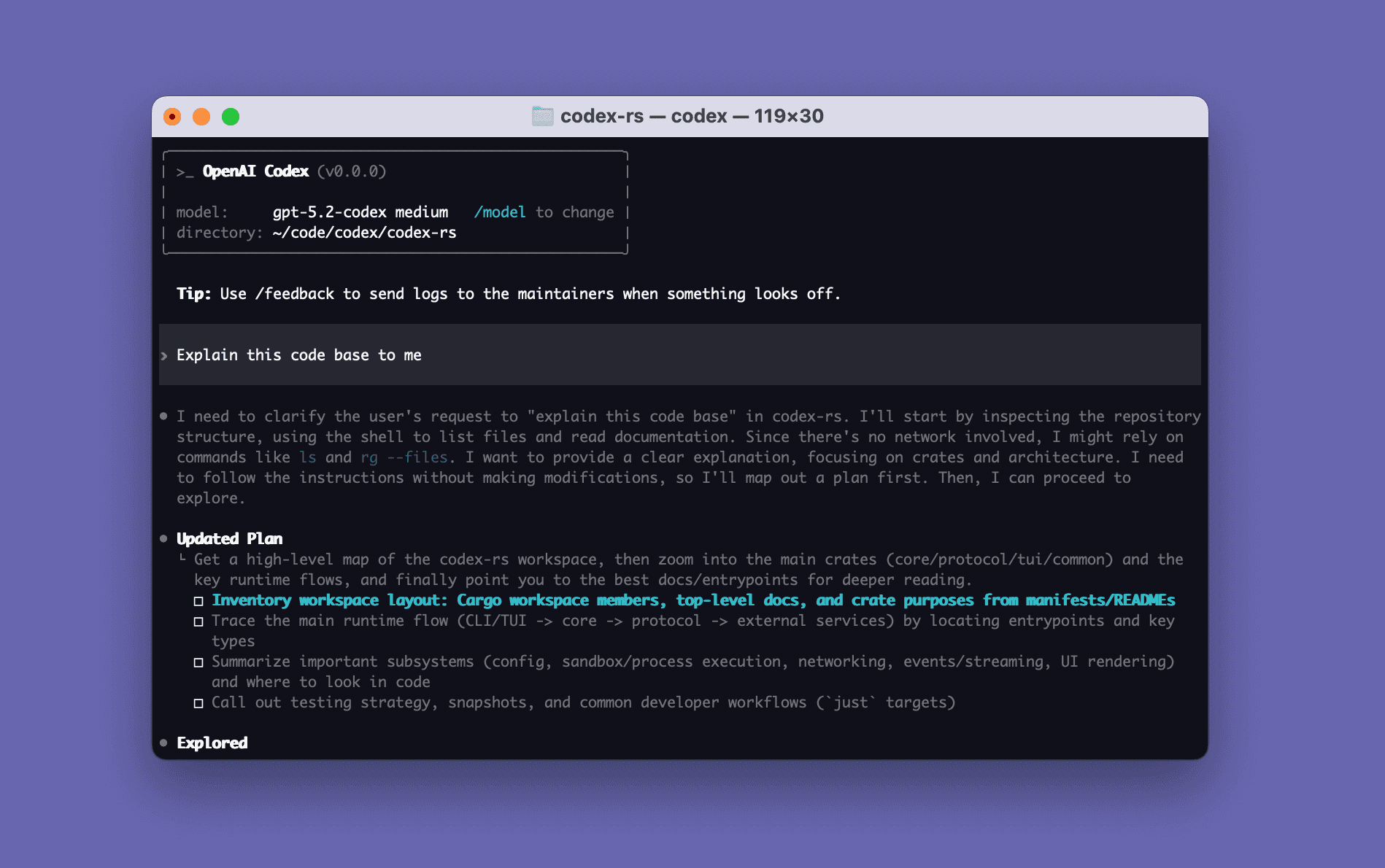
Best multi-surface repository agent
OpenAI Codex
Developers who want one account for local terminal work, desktop supervision and delegated cloud coding tasks.
Best terminal-first agent
Anthropic Claude Code
Terminal users who want an agent to inspect a project, edit multiple files and run the existing test toolchain.
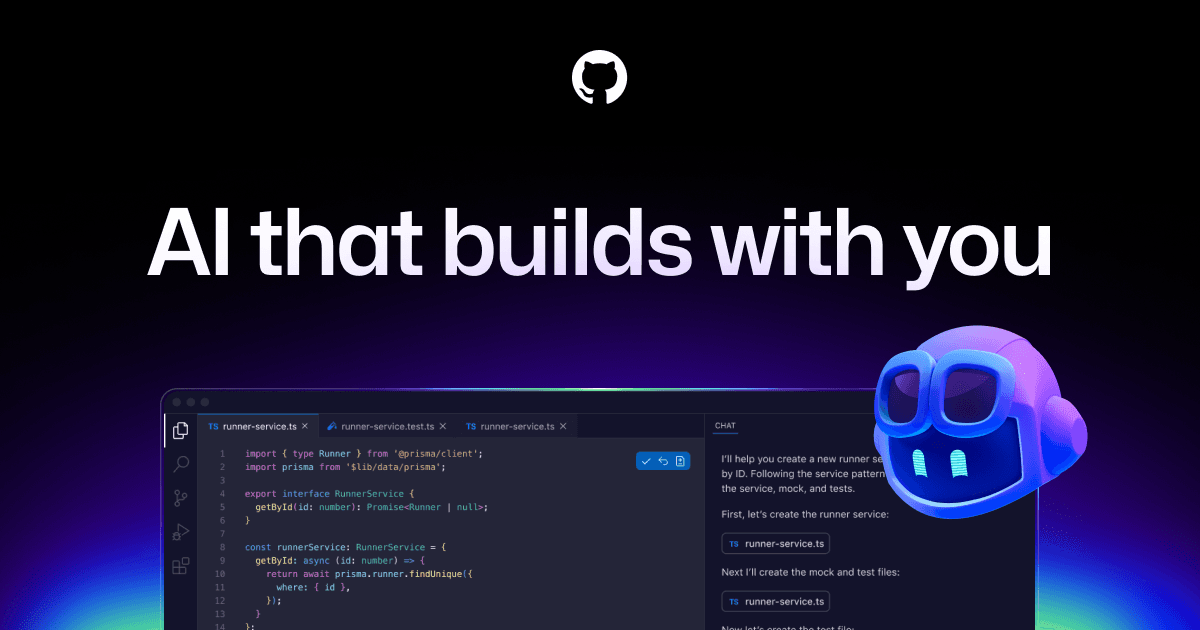
Best GitHub-centred routine
GitHub Copilot
A GitHub user who wants one familiar product across completion, pull requests, editor tasks and CLI assistance.

Best AI-first editor
Cursor AI Code Editor
A VS Code-style editor user who wants repository agents to be the centre of the editing routine.
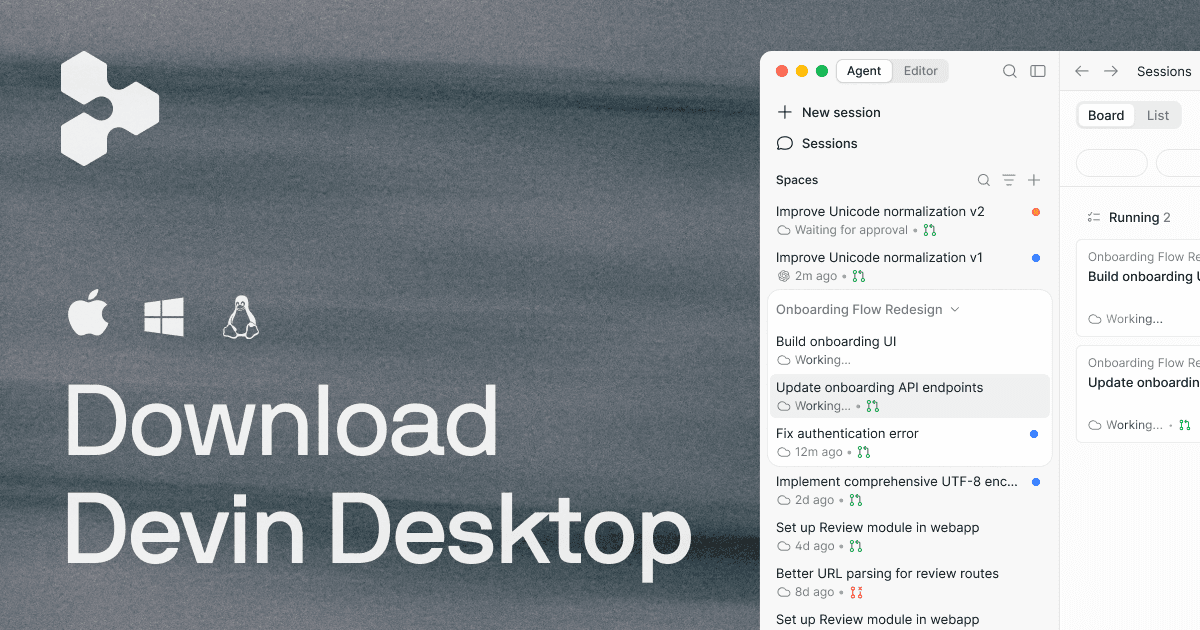
Best desktop-to-cloud hand-off
Cognition Devin
A solo developer who can identify bounded tasks worth handing from interactive desktop work to a remote agent.

Best visual multi-agent manager
Google Antigravity
Web developers who want to supervise parallel editor, terminal and browser tasks from a visual manager.

Best JetBrains-native choice
JetBrains AI
An existing IntelliJ IDEA, PyCharm, WebStorm or Rider user who wants AI to use the IDE's own project model.
Best spec-led development path
AWS Kiro
Developers who want requirements and design decisions recorded before an agent implements a non-trivial feature.

Best browser-to-deployment builder
Replit Agent
For buyers who specifically need Replit's app and platform support.
Allowance and correction time are part of product quality
An assistant that pauses halfway through a refactor, moves into paid usage or needs repeated repair changes the economics of the task. Count accepted outcomes per included allowance, then add the time spent reading the diff, correcting mistakes and rerunning tests. Request totals are less useful because providers count tokens, credits, sessions and compute differently.
Compare the 10 coding assistants
Compare workspace, agent execution, repository context, plan usage, privacy controls and the decisive reason to skip.
1. Moonshot AI Kimi Code
Specs / fit
Kimi Code CLI, the Kimi / The selected client can / K3 is capped at 256K on
Check first
Moderato entitlement + 256K versus 1M context + client context setting
2. OpenAI Codex
Specs / fit
ChatGPT desktop Codex / Runs local sandboxed / Repository files
Check first
Shared ChatGPT agent allowance + local versus cloud data path + sandbox mode
3. Anthropic Claude Code
Specs / fit
Terminal, desktop, IDE / An agent loop gathers / The project tree
Check first
Session + weekly reset + extra usage
4. GitHub Copilot
Specs / fit
GitHub, VS Code, Visual / Inline completion / Open files, repository
Check first
AI-credit allowance + paid-usage budget + code-review Actions minutes
5. Cursor AI Code Editor
Specs / fit
Cursor's VS Code-derived / Foreground agents edit / Repository indexing
Check first
Included model usage + on-demand switch + Privacy Mode
6. Cognition Devin
Specs / fit
Devin Desktop, Devin / Interactive desktop / Desktop project state
Check first
Daily + weekly quota + prepaid credit balance
7. Google Antigravity
Specs / fit
Antigravity 2.0 IDE / Several agents can / Workspace rules
Check first
Weekly allowance + supported model + Strict Mode
8. JetBrains AI
Specs / fit
IDE-native chat / JetBrains project / AI Pro includes a
Check first
Supported IDE edition + included AI credits + Junie availability
9. AWS Kiro
Specs / fit
Kiro agentic IDE, CLI / Feature or bug specs / Repository indexes
Check first
Credit use by specs + hooks + premium-model availability
10. Replit Agent
Specs / fit
Browser-based Replit / Agent can plan, build / Workspace files
Check first
Monthly credits + effort-based Agent cost + hard budget
Every product route is an official service page. A price is unavailable where a stable VAT-inclusive GBP checkout total could not be verified without an account.
Product notes
Best direct Kimi K3 route
1. Moonshot AI Kimi Code
A developer buying specifically to evaluate K3 on a repository that may benefit from unusually long context.
Today's best routes
Moonshot AI official subscription route
Retail route - The English service is reachable from the UK, but a stable VAT-inclusive GBP checkout total was not visible without account checkout. Confirm card acceptance, VAT treatment and any foreign-currency fee.
Warranty / returnRead the current membership renewal and Extra Usage terms before adding balance; record the cancellation date and unused balance policy.
Check pointsUse Kimi's own account route, not a shared login or wrapper that merely advertises K3. Verify that the UK card reaches the intended membership tier.
Specifications
- Workspace surface
- Kimi Code CLI, the Kimi VS Code extension and supported third-party coding clients
- Agent execution
- The selected client can inspect and edit files, search the repository and run permitted shell tools
- Repository context
- K3 is capped at 256K on Moderato; the documented up-to-1M window starts at Allegretto and must be requested by compatible clients
- Plan and usage
- Moderato unlocks K3, while account quota windows, weekly allowance and optional Extra Usage govern sustained work
- Privacy and control
- The Kimi account and API key carry the service entitlement; file, command and network authority still depends on the chosen local client
- Specs / fit
- The only entry built around direct K3 entitlement, with a CLI/editor route and a tier-dependent context ceiling.
Buyer notes
Choose Kimi Code because K3 is the required experiment; otherwise compare the surrounding agent routine before paying for a higher context tier.
Editor's verdict
It is the exact developer service attached to the K3 launch and documents how the model is selected in its own CLI, extension and compatible clients.
Reasons to buy
- Direct access to the launch model
- Documented long-context upgrade path
- Can work through more than one coding client
Reasons to avoid
- K3 is unavailable below Moderato
- The largest context requires a higher plan
- Quota and Extra Usage add separate limits
Check points
Best multi-surface repository agent
2. OpenAI Codex
Developers who want one account for local terminal work, desktop supervision and delegated cloud coding tasks.
Today's best routes
OpenAI official subscription route
Retail route - ChatGPT Plus is sold through OpenAI's UK-supported account route. Confirm the displayed GBP price, VAT, shared agentic allowance and whether credits can be added on the account.
Warranty / returnCheck the Plus renewal date, current agent allowance and credit purchase terms in the account before a long job; cancellation stops future billing rather than undoing consumed work.
Check pointsBuy through OpenAI's official ChatGPT subscription route and reject third-party Codex accounts. Verify the UK billing line and account owner before connecting a repository.
Specifications
- Workspace surface
- ChatGPT desktop Codex mode, Codex CLI, IDE extension and supported cloud task surfaces
- Agent execution
- Runs local sandboxed work or delegated cloud tasks, with parallel agents, worktrees, review and reusable instructions
- Repository context
- Repository files, AGENTS.md instructions, skills and explicitly connected tools provide task context
- Plan and usage
- Codex shares agentic usage with other eligible ChatGPT work features; consumption varies by model, task size and local or cloud execution
- Privacy and control
- Sandbox, approval policy and network controls govern execution; consumer and managed-workspace data settings differ
- Specs / fit
- A repository agent that spans desktop, terminal, editor and cloud task paths under one ChatGPT account.
Buyer notes
Codex is strongest when several execution surfaces are useful; it is excessive when the only need is lightweight inline completion.
Editor's verdict
It combines local coding, cloud delegation and review controls without forcing every task into one editor fork.
Reasons to buy
- Broad local and cloud task coverage
- Explicit sandbox and approval controls
- Strong support for parallel repository tasks
Reasons to avoid
- Usage varies sharply by task and model
- Allowance is shared with other agentic features
- Cloud and local paths need separate review
Check points
Best terminal-first agent
3. Anthropic Claude Code
Terminal users who want an agent to inspect a project, edit multiple files and run the existing test toolchain.
Today's best routes
Anthropic official Claude Code subscription route
Retail route - Claude Pro is available through the UK account route. Confirm the current GBP checkout, VAT, rolling reset times and whether paid extra usage is enabled.
Warranty / returnConfirm renewal and extra-usage settings in the Claude account. Pause or cancel before renewal and do not assume unused rolling allowance has cash value.
Check pointsSubscribe through Claude's official plan page. Check that the account email, UK billing details and repository owner all match the intended use.
Specifications
- Workspace surface
- Terminal, desktop, IDE extension, web task, remote-control and supported CI surfaces
- Agent execution
- An agent loop gathers repository context, edits files and runs tools locally or in an Anthropic-managed cloud environment
- Repository context
- The project tree, CLAUDE.md instructions, selected files, tools and automatic compaction shape continuing context
- Plan and usage
- Claude Pro includes a rolling session allowance and weekly limit; extra usage can be separately enabled when available
- Privacy and control
- Permission modes, tool allowlists and checkpoints control local work; consumer data-use choice differs from commercial terms
- Specs / fit
- A terminal-led coding agent with local, cloud and remote-control routes and detailed command permissions.
Buyer notes
Claude Code is a focused choice for developers who already live in the shell, provided its rolling allowance fits the length of their normal tasks.
Editor's verdict
It brings repository-wide planning, editing and verification into a familiar terminal without requiring a replacement editor.
Reasons to buy
- Works with an existing local toolchain
- Granular command permission options
- Project instructions travel with the repository
Reasons to avoid
- Rolling and weekly limits can interrupt work
- Long context raises token consumption
- Broad allowlists can weaken safeguards
Check points
Best GitHub-centred routine
4. GitHub Copilot
A GitHub user who wants one familiar product across completion, pull requests, editor tasks and CLI assistance.
Today's best routes
GitHub official subscription route
Retail route - UK developers can subscribe through GitHub. Confirm the account's displayed currency, VAT invoice, included AI credits and paid-usage budget before enabling agent features.
Warranty / returnCheck monthly versus annual billing, trial conversion and the paid AI-credit budget. Disable overage before judging whether the included pool is sufficient.
Check pointsActivate Copilot inside the intended GitHub account. Avoid bundled or resold accounts, and confirm whether an employer already assigns a managed seat.
Specifications
- Workspace surface
- GitHub, VS Code, Visual Studio, JetBrains IDEs, Xcode, Eclipse, Neovim and Copilot CLI
- Agent execution
- Inline completion, editor agent mode, CLI work, code review and cloud pull-request tasks share the Copilot service
- Repository context
- Open files, repository instructions, GitHub issues and permitted repository data feed different Copilot features
- Plan and usage
- Pro combines unlimited completion with a monthly AI-credit pool for chat, agents, CLI and review; paid credits may extend usage
- Privacy and control
- Individual users can opt out of model-improvement use; organization plans add policy and identity controls not present in Pro
- Specs / fit
- The broadest GitHub-native combination of completion, editor agent, CLI, review and delegated pull-request work.
Buyer notes
Copilot earns its place through task coverage and GitHub proximity, not through the largest standalone model allowance.
Editor's verdict
It keeps suggestions, agent tasks and pull-request review near repositories and tools many developers already use every day.
Reasons to buy
- Minimal friction for GitHub users
- Works in many established editors
- Free tier can test workspace fit
Reasons to avoid
- Agent features consume a shared credit pool
- Personal plan lacks organization controls
- Review can add Actions usage
Check points
Best AI-first editor
5. Cursor AI Code Editor
A VS Code-style editor user who wants repository agents to be the centre of the editing routine.
Today's best routes
Cursor official subscription route
Retail route - Cursor sells direct to UK cardholders rather than through resellers. Verify checkout currency, VAT, annual discount, on-demand usage and card conversion cost.
Warranty / returnChoose monthly billing for the first trial, keep on-demand usage disabled and check Cursor's cancellation timing before an annual renewal.
Check pointsCursor states that it does not authorise resellers. Buy only at cursor.com and verify the signed-in account before granting GitHub access.
Specifications
- Workspace surface
- Cursor's VS Code-derived desktop editor with Tab, Agent, Background Agents and Bugbot access
- Agent execution
- Foreground agents edit and run commands with approval; background agents clone repositories into internet-connected cloud VMs
- Repository context
- Repository indexing, rules, open files, terminal output and connected tools supply editor and cloud-agent context
- Plan and usage
- Pro includes a model-usage allowance; model choice affects consumption and on-demand usage can continue after the included amount
- Privacy and control
- Privacy Mode blocks training use, but requests still pass through Cursor; background agents require repository write access and cloud execution
- Specs / fit
- An AI-first desktop editor that joins completion, repository indexing, interactive agents and cloud background work.
Buyer notes
Cursor is worth the editor switch when its integrated agent flow replaces several separate tools; it is poor value for completion alone.
Editor's verdict
It makes repository context, multi-file editing and agent supervision part of one consistent desktop environment.
Reasons to buy
- Cohesive editor and agent routine
- Strong repository indexing controls
- Cloud agents for longer tasks
Reasons to avoid
- Heavy agent use drains included value
- Requires editor migration
- Background agents have broad cloud reach
Check points
Product infoCursor official plan and usage documentation
Best desktop-to-cloud hand-off
6. Cognition Devin
A solo developer who can identify bounded tasks worth handing from interactive desktop work to a remote agent.
Today's best routes
Cognition official subscription route
Retail route - The self-serve plan accepts online signup for supported UK users, but pricing is published in USD. Confirm GBP card conversion, VAT invoice and auto-reload settings.
Warranty / returnCheck the Pro cancellation date, prepaid balance and auto-reload threshold. Purchased credits roll over, but that does not make the subscription refundable.
Check pointsCreate the Pro plan through Devin's official self-serve account and connect only repository-specific credentials; no reseller is needed.
Specifications
- Workspace surface
- Devin Desktop, Devin cloud sessions and Devin CLI under one single-user Pro account
- Agent execution
- Interactive desktop work can be handed to asynchronous cloud sessions, with integrations for repository and task systems
- Repository context
- Desktop project state and indexed cloud repository knowledge support different stages of a delegated task
- Plan and usage
- Pro has daily and weekly quotas shared across sessions, CLI and Desktop; prepaid on-demand credits fund work beyond them
- Privacy and control
- Cloud repository connections, secrets, integrations and session permissions require separate scope from the desktop workspace
- Specs / fit
- A single-user plan joining a desktop editor to longer asynchronous Devin cloud sessions and review tools.
Buyer notes
Devin Pro makes sense when cloud delegation is routine; buying it as an ordinary editor leaves its most distinctive capability unused.
Editor's verdict
It offers the clearest explicit bridge between a local desktop experience and a longer remote agent session for one developer.
Reasons to buy
- Clear local-to-cloud task route
- Long work can continue asynchronously
- Credits can roll over
Reasons to avoid
- Pro has daily and weekly caps
- Cloud sessions can consume credits quickly
- Handoffs add branch and credential complexity
Check points
Best visual multi-agent manager
7. Google Antigravity
Web developers who want to supervise parallel editor, terminal and browser tasks from a visual manager.
Today's best routes
Google official subscription route
Retail route - The individual download and Google account route are available to supported UK users. Confirm model availability, current free allowance and any Google AI plan's local checkout and VAT.
Warranty / returnThe Individual tier has no purchase price, but any attached Google AI plan renews separately. Confirm that cancellation leaves a usable export path.
Check pointsDownload through Google's official Antigravity route and use the intended Google account; verify eligibility before upgrading another Google AI plan.
Specifications
- Workspace surface
- Antigravity 2.0 IDE and CLI with an editor view, Agent Manager and integrated browser checks
- Agent execution
- Several agents can operate across files, terminal and browser while producing review artifacts in the manager view
- Repository context
- Workspace rules, project folders, knowledge items, artifacts and selected tools persist task context
- Plan and usage
- The Individual route has basic weekly limits; Google AI Pro and Ultra raise limits through an account-level credit pool
- Privacy and control
- Strict Mode, file boundaries, sandbox controls, network settings and command approval determine agent reach
- Specs / fit
- A visual agent-management IDE that brings parallel agents, browser checks and review artifacts into one workspace.
Buyer notes
Antigravity is the most visibly agent-oriented workspace here, but that makes permission setup and changing account limits part of the trial.
Editor's verdict
It makes parallel task state, browser evidence and agent artifacts visible instead of burying them in separate chat sessions.
Reasons to buy
- Clear parallel-agent supervision
- Browser checks beside code work
- Free individual entry route
Reasons to avoid
- Weekly limits can change
- Wide browser and shell authority
- Requires another editor environment
Check points
Best JetBrains-native choice
8. JetBrains AI
An existing IntelliJ IDEA, PyCharm, WebStorm or Rider user who wants AI to use the IDE's own project model.
Today's best routes
JetBrains official subscription route
Retail route - JetBrains states that tax follows the buyer's country and charges credits in local currency. Confirm the GBP invoice, existing IDE entitlement and separate AI renewal.
Warranty / returnCheck the AI term separately from the IDE licence, plus top-up expiry and cancellation. Avoid buying duplicate AI entitlement through a bundle.
Check pointsBuy from the JetBrains account or authorised JetBrains checkout attached to the correct IDE owner; confirm the UK tax line before payment.
Specifications
- Workspace surface
- Supported IntelliJ-platform IDEs with AI Assistant, Junie and connected Claude Agent or Codex routes
- Agent execution
- IDE-native chat and workflows sit beside Junie agent tasks, refactoring tools and supported external agents
- Repository context
- JetBrains project models, code insight, IDE indexes, project rules and .aiignore guide repository context
- Plan and usage
- AI Pro includes a recurring AI-credit allowance; top-ups and connected service keys can create additional charges
- Privacy and control
- Training exclusion, zero-retention features, .aiignore, BYOK and local-model options vary by plan and selected service
- Specs / fit
- The conservative route for keeping JetBrains project intelligence and refactoring while adding built-in and connected agents.
Buyer notes
JetBrains AI protects an established IDE investment, but the first trial must prove that agent work is worth its finite credit pool.
Editor's verdict
It can preserve JetBrains' semantic project model and refactoring routine instead of moving repository work into a VS Code-derived editor.
Reasons to buy
- No editor migration for JetBrains users
- Refactoring-aware project context
- Several model and hosting routes
Reasons to avoid
- Agent work consumes finite credits
- Support differs by IDE edition
- BYOK can add another bill
Check points
Best spec-led development path
9. AWS Kiro
Developers who want requirements and design decisions recorded before an agent implements a non-trivial feature.
Today's best routes
AWS official subscription route
Retail route - Kiro is downloadable in the UK, but paid plans are advertised in USD and some premium models vary by country. Confirm GBP conversion, VAT and model availability at checkout.
Warranty / returnConfirm the recurring plan, add-on credit terms and model availability. Start on Free and move one real spec through review before upgrading.
Check pointsUse kiro.dev or the official Kiro account route. Verify the login identity, UK billing details and premium model shown before payment.
Specifications
- Workspace surface
- Kiro agentic IDE, CLI and web interface with specs, steering files, hooks and Code OSS compatibility
- Agent execution
- Feature or bug specs create requirements, design and task artifacts before agents implement and verify work
- Repository context
- Repository indexes, steering files, persistent specs, hooks and MCP tools provide durable project direction
- Plan and usage
- Kiro Pro includes a credit pool; spec refinement, task execution, hooks and model choice all consume credits, with paid add-ons available
- Privacy and control
- Supervised mode, protected paths and trusted commands control local work; individual content can be used for service improvement unless the user opts out
- Specs / fit
- A Code OSS-based agentic environment that turns requirements, design and tasks into persistent repository artifacts before execution.
Buyer notes
Kiro is the strongest process choice here when the design record matters as much as the generated diff; short ad hoc fixes may not justify the extra structure.
Editor's verdict
It keeps requirements, architecture and implementation tasks in the repository, making the agent's plan easier to review and resume.
Reasons to buy
- Persistent planning artifacts
- Explicit supervised execution mode
- Familiar Code OSS foundation
Reasons to avoid
- Spec and hook work consumes credits
- Individual data sharing needs attention
- Open VSX is not full VS Code marketplace parity
Check points
Best browser-to-deployment builder
10. Replit Agent
For buyers who specifically need Replit's app and platform support.
Today's best routes
Replit official subscription route
Retail route - Replit accepts online UK customers and can publish to selectable regions, but plan prices are displayed in USD. Confirm card conversion, VAT and deployment region.
Warranty / returnCheck monthly versus annual Core billing, credit expiry and the account budget. Export the repository and data before cancelling hosted services.
Check pointsJoin Replit Core through the official account page. Confirm the workspace owner, private-project setting and UK checkout before adding payment details.
Specifications
- Workspace surface
- Browser-based Replit workspace with Agent, runtime, database, collaboration and publishing in one service
- Agent execution
- Agent can plan, build, run and revise an application, while Replit supplies hosted services and deployment
- Repository context
- Workspace files, project state, connectors, managed services and deployment configuration remain inside the hosted project
- Plan and usage
- Core includes monthly credits shared by Agent and cloud services; every Agent interaction uses effort-based billing and extra usage can follow
- Privacy and control
- Workspace visibility, collaborators, secrets, connectors and deployment permissions define the hosted project's boundary
- Specs / fit
- A hosted app builder that joins agent generation, editable code, managed services and deployment without a local toolchain.
Buyer notes
Replit Agent is a platform purchase rather than a normal repository assistant; its value rises when the hosted runtime and deployment replace other setup.
Editor's verdict
It removes local environment, database and deployment setup from a bounded app build while leaving the resulting code visible for inspection.
Reasons to buy
- Fast browser-based start
- Editable code after generation
- Database and deployment in one route
Reasons to avoid
- Every Agent interaction is billable
- Cloud services share the credit picture
- Poor fit for a large local monorepo
Check points
Top 3 picks
#1 Best direct Kimi K3 route - Moonshot AI Kimi Code
It is the exact developer service attached to the K3 launch and documents how the model is selected in its own CLI, extension and compatible clients.
#2 Best multi-surface repository agent - OpenAI Codex
It combines local coding, cloud delegation and review controls without forcing every task into one editor fork.
#3 Best terminal-first agent - Anthropic Claude Code
It brings repository-wide planning, editing and verification into a familiar terminal without requiring a replacement editor.
Final thoughts
Choose Kimi Code when K3 access and its context tiers are the point of the purchase. Choose another service when its editor, terminal, cloud or team boundary better matches the work.
Pay for a plan only when the same bounded task reaches a reviewed result with less effort. Generated volume is not the saving; accepted work is.
Wait when the account cannot show its current allowance, data setting, overage switch or cancellation route before checkout.
What to check before buying
A raw model API is not a complete assistant
API pricing excludes the editor or terminal harness, repository indexing, tool permissions, cloud runtime and review surface. Compare API routes separately unless you already operate that infrastructure.
The largest context figure is not effective context
File selection, indexing, compaction, caching and project instructions decide what the agent can use. Test whether it finds the dependency that actually controls the requested change.
Monthly does not mean unlimited
Credits, weekly limits, rolling windows, premium-model multipliers and paid background work can all sit behind a monthly plan name.
Do not buy a shared or resold login
These services are licensed through named official accounts. Resold access can disappear without support and can expose billing details or repository credentials to an unknown account owner.
Do not begin with production authority
Use least-privilege tokens, a non-production environment and a reviewed command policy. Generated tests and a tidy diff do not remove the need for a human merge decision.
Autocomplete, repository agents and hosted builders are different purchases
Autocomplete predicts the next edit while the developer remains in control. A repository agent can search files, run commands and change several modules; a hosted builder can also create databases and deploy an app. Products that offer more than one path may meter and govern each path differently, so decide which job needs help before comparing plan labels.
Before you buy
- Define one repository task, acceptance criteria and test command.
- Confirm the exact personal plan and supported editor, terminal, desktop or cloud surface.
- Note every credit pool, reset window, model multiplier and overage control.
- Check file, shell, network, secret, browser and deployment permissions.
- Review retention, training choice and the repository owner's policy.
- Confirm GBP or foreign-currency billing, VAT invoice, card fees and renewal date.
- Keep the repository portable and require human review before merge.
Editor's comment
A limited free tier can reveal installation friction, repository discovery, command permissions and diff review quality. It cannot forecast a month of agent-heavy work. Keep the first issue small, inspect the usage screen immediately afterwards and avoid adding overage credit until the working surface has earned a place in the routine.
Editor's comment
Kimi K3 is a valid reason to reopen the shortlist, particularly for developers who can use its long context. The surrounding service will still decide whether that capability is useful. I would choose the assistant whose permissions, allowance and review path are predictable enough to repeat on an ordinary workday, not the one that merely leads the newest launch chart.
FAQ
+Is Kimi K3 the same thing as Kimi Code?
No. Kimi K3 is Moonshot AI's model. Kimi Code is the developer service that exposes supported models through its CLI, VS Code extension and compatible clients, with membership entitlements and usage rules of its own.
+Which Kimi membership is needed for K3?
Kimi's documentation lists K3 from Moderato, with a 256K context ceiling on that tier. Up to 1M context requires Allegretto or a higher membership and a compatible client configured to request that window.
+Will these services bill a UK customer in GBP?
Not consistently. Some checkout routes localise currency or tax, while others publish USD reference prices and leave conversion to checkout or the card issuer. This comparison leaves the numeric price unavailable where a stable VAT-inclusive GBP total was not visible without an account.
+Can I use a personal coding-assistant plan on company code?
Only when the repository owner permits that provider, account tier and data path. Check retention, training controls, cloud execution, identity, supplier terms and whether a managed business account is required.
+How should I compare repository context?
Use one issue that crosses a real dependency boundary. Check whether the assistant finds the governing file, follows project instructions, preserves conventions and recovers after context compaction. A context-window number alone cannot demonstrate those behaviours.
+What is a sensible first agent task?
Choose a small bug or test repair on a disposable branch with no production secrets. Supply the expected behaviour and test command, restrict network and shell authority, then inspect every changed file and rerun the project's own checks before merging.
About the author

Julia Meyer
Office & Study Editor
Julia Meyer covers Office & Study for TrendBrief. The focus is ergonomics, desk fit, software or device compatibility, and workflow, the differences that shape everyday fit and use.
See all Briefs by Julia Meyer