UK Brief
27-inch QHD monitor trend 2026: 10 exact office models compared

By Julia MeyerLast updated 2026-07-30
Some price links may be affiliate links.
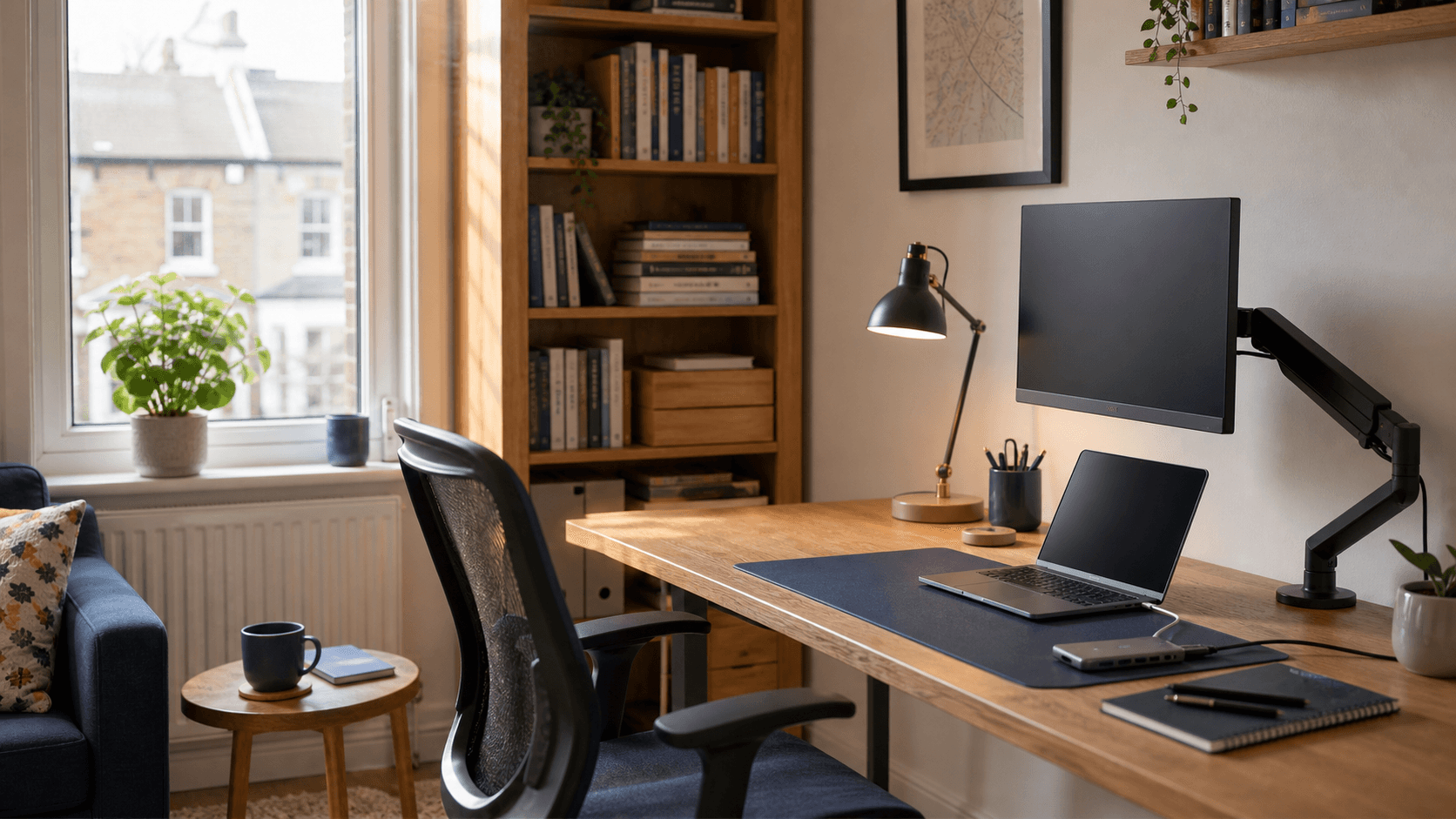
QHD is the starting point, not the whole comparison
At 27 inches, QHD gives a useful balance of workspace and text size. The larger differences appear in USB-C laptop power, stand adjustment, KVM, Ethernet, webcam, colour coverage, and refresh rate.
Laptop desk
USB-C video and power can remove a dock, but 60W, 65W, 90W, and 100W monitors suit different laptops.
Shared-computer desk
KVM and USB upstream connections matter when one keyboard and mouse need to move between two computers.
Fixed desktop desk
A non-USB-C model can be the better value when HDMI or DisplayPort, a good stand, and accurate colour are enough.
Panel, port, power-delivery, stand, webcam, and colour specifications are taken from each manufacturer's exact-model page.
Check points
Amazon UK exact product pageUse the exact ASIN page for the current GBP offer, seller, delivery date, product image, and Amazon return route.
Official UK brand storeUse the manufacturer page to confirm the exact model, ports, USB-C power, stand movement, included cables, and UK warranty; it is a specification source, not the purchase button in this comparison.
Quick brief
Start with the computer connection and desk position, then compare colour and refresh rate.
Best balanced one-cable home-office monitor
Dell S2725DC
A UK laptop desk that needs 65W charging, a useful USB hub, speakers, smooth 144Hz motion, and a fully adjustable
£203.33
Best for two-computer creative work
BenQ PD2705Q
A designer or hybrid worker who wants calibrated sRGB and Rec.709 colour, a KVM switch, 65W USB-C, and DisplayPort
£224.16
Best creator value with USB-C
ASUS PA278CV
A single-laptop photo, illustration, or web-design desk that values calibrated colour, 65W USB-C, a four-port hub
£186.67
Best premium Thunderbolt desk hub
Dell U2724DE
A higher-power work laptop that needs 90W charging, 2.5Gb Ethernet, Thunderbolt daisy chaining, KVM-style sharing
£308.31
Best premium desktop display without a dock
Dell U2724D
A desktop PC or second-monitor setup that wants the U2724DE's 120Hz IPS Black image and ergonomic stand without
£241.64
Best low-cost 120Hz office screen
Philips 27E2N2500/00
A desktop PC or budget laptop desk that already has charging and wants a sharper QHD IPS panel with 120Hz motion
£116.66
Best basic QHD value
AOC Q27B35E
A fixed desktop desk that wants the least expensive exact QHD IPS route and is prepared to add a riser or VESA arm
£82.50
Best inexpensive work-and-gaming crossover
Gigabyte GS27QA
A desktop user who works on QHD during the day and wants 180Hz gaming after hours, while already owning speakers
£115.83
Best ergonomic high-refresh value
iiyama GB2771QSU-B1
A desktop work-and-gaming setup that wants 200Hz, a full 150mm ergonomic stand, speakers, and a four-port USB hub
£124.97
Best sub-£100 high-refresh panel route
KOORUI G2721P
A price-sensitive desktop gamer who also wants QHD workspace and is prepared to use separate audio, peripherals
£99.99
What to check after narrowing the list
Look for dead-pixel policy, panel uniformity, USB-C wake behaviour, stand wobble, coil noise, cable length, webcam quality, and whether the included cables support the advertised refresh rate and power delivery.
Quick comparison table
The table keeps USB-C power, stand, ports, colour, and refresh rate visible together.
1. Dell S2725DC
£203.33Specs / fit
USB-C video, data + 65W / 110mm height / tilt / QHD IPS, 144Hz, 99% sRGB
Check first
laptop supports DisplayPort + can work comfortably from 65W
2. BenQ PD2705Q
£224.16Specs / fit
USB-C video, data + 65W / 140mm height / tilt / QHD IPS, 60Hz, 100%
Check first
KVM needs correct video + USB upstream path from each + map those cables before
3. ASUS PA278CV
£186.67Specs / fit
USB-C video, hub data / 150mm height / wide / QHD IPS, 75Hz, 100%
Check first
Amazon offer is PA278CV + because QV version omits + charging.
4. Dell U2724DE
£308.31Specs / fit
Thunderbolt 4 video / 150mm height / tilt / QHD IPS Black, 120Hz
Check first
laptop supports + decide 90W is enough before
5. Dell U2724D
£241.64Specs / fit
No / USB-C upstream is / 150mm height / tilt / QHD IPS Black, 120Hz
Check first
Treat USB-C ports as hub data + low-power device charging + not as a 65W or 90W laptop
6. Philips 27E2N2500/00
£116.66Specs / fit
No / HDMI or DisplayPort / Tilt-only stand / 100 x / QHD IPS, 120Hz
Check first
Budget for a VESA arm + use DisplayPort or a suitable
7. AOC Q27B35E
£82.50Specs / fit
No / HDMI or DisplayPort / Tilt-only removable / QHD IPS, 75Hz, HDR10
Check first
Treat 75Hz + HDR10 as modest extras + real buying case is low-cost
8. Gigabyte GS27QA
£115.83Specs / fit
No / HDMI or DisplayPort / Tilt-only stand / 100 x / QHD SS IPS, 180Hz, 110%
Check first
Use DisplayPort for full + plan for tilt-only stand
9. iiyama GB2771QSU-B1
£124.97Specs / fit
No / USB-C is / 150mm height / swivel / QHD Fast IPS, 200Hz DP
Check first
Do not mistake two USB-C hub + use DisplayPort for 200Hz + keep laptop on its own charger.
10. KOORUI G2721P
£99.99Specs / fit
No / HDMI or DisplayPort / Tilt-focused stand / QHD Fast IPS, 200Hz
Check first
G2721P + Fast IPS 200Hz listing + then budget for ergonomic
The detailed notes below explain which feature changes the desk and which premium is easy to skip.
Product notes
Best balanced one-cable home-office monitor
1. Dell S2725DC
A UK laptop desk that needs 65W charging, a useful USB hub, speakers, smooth 144Hz motion, and a fully adjustable stand without moving to a premium hub monitor.
Purchase information
Retail route
Amazon UK
£203.33
Best suited toThe exact Amazon UK S2725DC offer is priced in GBP and uses the UK-market Dell model route.
Warranty / returnDell lists a three-year warranty; check the Amazon UK seller, delivery-damage window, and opened-monitor return terms.
Specifications
- One-cable laptop
- USB-C video, data and 65W charging
- Stand and desk fit
- 110mm height; tilt, swivel and pivot
- Screen and work fit
- QHD IPS, 144Hz, 99% sRGB
- Connection workflow
- HDMI, DisplayPort, USB-C, 2 USB downstream, speakers
- Best use
- Best balanced one-cable home-office monitor
- Specs / fit
- Its upstream USB-C port carries QHD video, USB data, and up to 65W, which is enough for many thin work laptops but can be marginal for larger mobile workstations. The stand offers 110mm of height adjustment plus tilt, swivel, and portrait rotation, so most desks can reach a sensible eye line without a monitor arm. The 144Hz IPS panel makes scrolling and mixed work feel smoother than a 60Hz office display, while 99% sRGB is appropriate for everyday web and document colour rather than specialist grading. HDMI and DisplayPort cover a desktop or console, while USB-C adds laptop video and two downstream USB connections; built-in speakers handle calls and system audio without another device.
Check first
Confirm the laptop supports DisplayPort Alt Mode over USB-C and can work comfortably from 65W before relying on a single cable.
Editor's verdict
It combines QHD at 144Hz with USB-C video and 65W laptop power, two downstream USB ports, speakers, and height, swivel, pivot, and tilt adjustment.
Reasons to buy
- 65W one-cable USB-C
- 144Hz QHD IPS panel
- Fully adjustable stand
Reasons to avoid
- No Ethernet or KVM
- 65W charging ceiling
- No creator calibration claim
Best for two-computer creative work
2. BenQ PD2705Q
A designer or hybrid worker who wants calibrated sRGB and Rec.709 colour, a KVM switch, 65W USB-C, and DisplayPort daisy chaining on one adjustable screen.
Purchase information
Retail route
Amazon UK
£224.16
Best suited toThe Amazon UK offer is the exact PD2705Q and the supporting BenQ page is the UK product route.
Warranty / returnConfirm BenQ UK warranty eligibility and test colour modes, USB-C wake, KVM switching, and panel uniformity within the Amazon return window.
Specifications
- One-cable laptop
- USB-C video, data and 65W charging
- Stand and desk fit
- 140mm height; tilt, swivel and pivot
- Screen and work fit
- QHD IPS, 60Hz, 100% sRGB and Rec.709
- Connection workflow
- KVM, DP out, USB-C, HDMI, DP and 4-port USB hub
- Best use
- Best for two-computer creative work
- Specs / fit
- USB-C carries display, data, and up to 65W, so a compatible thin laptop can use one cable while the monitor's USB hub handles peripherals. A 140mm height range, 45-degree swivel each way, tilt, and portrait rotation make it easy to position for editing or a side-by-side laptop layout. Factory calibration and full sRGB and Rec.709 coverage are more relevant to design and video work than its conventional 60Hz refresh rate. The KVM can share keyboard and mouse between two computers, while DisplayPort out supports a second display and the four downstream USB ports reduce desk adapters.
Check first
The KVM needs the correct video and USB upstream path from each computer; map those cables before assuming one keyboard and mouse will switch automatically.
Editor's verdict
Its KVM, factory calibration, 100% sRGB and Rec.709 coverage, 65W USB-C, four-port USB hub, and DisplayPort output solve a real two-computer desk problem.
Reasons to buy
- KVM for two computers
- Factory-calibrated creator colour
- 65W USB-C and DP out
Reasons to avoid
- 60Hz refresh rate
- 65W charging ceiling
- Feature premium for simple desks
Best creator value with USB-C
3. ASUS PA278CV
A single-laptop photo, illustration, or web-design desk that values calibrated colour, 65W USB-C, a four-port hub, and a highly adjustable stand.
Purchase information
Retail route
Amazon UK
£186.67
Best suited toThe PA278CV is listed on ASUS UK and the exact Amazon UK offer is priced in GBP.
Warranty / returnASUS lists a three-year zero-bright-dot warranty for the model; confirm UK seller coverage and test uniformity promptly.
Specifications
- One-cable laptop
- USB-C video, hub data and 65W charging
- Stand and desk fit
- 150mm height; wide tilt, swivel and pivot
- Screen and work fit
- QHD IPS, 75Hz, 100% sRGB/Rec.709, Delta E < 2
- Connection workflow
- USB-C, HDMI, DP in/out and 4 USB-A ports
- Best use
- Best creator value with USB-C
- Specs / fit
- Its USB-C connection carries display, USB hub data, and up to 65W, giving compatible creator laptops a tidy one-cable desk. The 150mm height range, generous tilt, 45-degree swivel, and two-way portrait rotation make the included stand practical for long editing sessions. The factory-calibrated IPS panel targets accurate sRGB and Rec.709 work; 75Hz is smoother than 60Hz but is not the reason to choose it for gaming. Four USB-A ports and USB-C support a peripheral-heavy laptop desk, while DisplayPort output can extend to another compatible monitor.
Check first
Confirm the Amazon offer is PA278CV rather than the similar PA278QV, because the QV version omits USB-C laptop video and charging.
Editor's verdict
It combines Calman-verified Delta E below 2 colour, 100% sRGB and Rec.709, 65W USB-C, DisplayPort daisy chaining, and full stand adjustment at a lower price than many hub monitors.
Reasons to buy
- Calibrated sRGB/Rec.709 colour
- 65W USB-C hub
- 150mm ergonomic stand
Reasons to avoid
- No KVM or Ethernet
- 75Hz ceiling
- 65W charging ceiling
Best premium Thunderbolt desk hub
4. Dell U2724DE
A higher-power work laptop that needs 90W charging, 2.5Gb Ethernet, Thunderbolt daisy chaining, KVM-style sharing, and a colour-accurate 120Hz IPS Black panel.
Purchase information
Retail route
Amazon UK
£308.31
Warranty / returnDell lists three-year Advanced Exchange and Premium Panel Exchange; confirm the Amazon seller preserves UK coverage.
Specifications
- One-cable laptop
- Thunderbolt 4 video, data, Ethernet and 90W charging
- Stand and desk fit
- 150mm height; tilt, swivel and pivot
- Screen and work fit
- QHD IPS Black, 120Hz, 98% DCI-P3
- Connection workflow
- TB4, 2.5GbE, DP in/out, HDMI and extensive USB hub
- Best use
- Best premium Thunderbolt desk hub
- Specs / fit
- The Thunderbolt 4 upstream port carries display, high-speed data, network access through the monitor, and up to 90W to a compatible laptop. A 150mm height range, swivel, tilt, and portrait rotation give the premium hub a strong ergonomic base without requiring an arm. IPS Black raises typical contrast to 2000:1, while 120Hz improves desktop motion and the broad calibrated gamut supports colour-sensitive work. Thunderbolt downstream, DisplayPort out, 2.5Gb Ethernet, HDMI, and multiple USB-A and USB-C ports support a laptop, a second display, network, and desk peripherals from one hub.
Check first
Verify the laptop supports Thunderbolt or compatible USB-C video and decide whether 90W is enough before paying for the hub features.
Editor's verdict
Thunderbolt 4 with 90W power, 2.5GbE, multiple high-speed USB ports, DisplayPort out, 120Hz IPS Black, and a fully adjustable stand can replace a substantial dock.
Reasons to buy
- 90W Thunderbolt 4 hub
- 2.5Gb Ethernet and DP out
- 120Hz IPS Black panel
Reasons to avoid
- Premium price
- Complexity is wasted on simple desks
- No built-in speakers
Best premium desktop display without a dock
5. Dell U2724D
A desktop PC or second-monitor setup that wants the U2724DE's 120Hz IPS Black image and ergonomic stand without paying for Thunderbolt charging or Ethernet.
Purchase information
Retail route
Amazon UK
£241.64
Best suited toAmazon UK carries the exact U2724D with GBP pricing and a matching Dell UK support page.
Warranty / returnConfirm the UK warranty and use the return window to inspect panel uniformity and every hub connection.
Specifications
- One-cable laptop
- No; USB-C upstream is data-only
- Stand and desk fit
- 150mm height; tilt, swivel and pivot
- Screen and work fit
- QHD IPS Black, 120Hz, 98% DCI-P3
- Connection workflow
- DP in/out, HDMI and USB hub; no laptop PD
- Best use
- Best premium desktop display without a dock
- Specs / fit
- The upstream USB-C port carries data rather than laptop video and power, so a laptop still needs HDMI or DisplayPort plus its own charger. The 150mm adjustable stand supports height, swivel, tilt, and portrait rotation, with a compact 192mm listed stand depth. The 120Hz IPS Black panel pairs smoother desktop motion with 2000:1 typical contrast and broad calibrated colour coverage. DisplayPort output can daisy-chain another screen, and the USB hub serves desktop peripherals, but there is no Ethernet or high-power laptop charging.
Check first
Treat the USB-C ports as hub data and low-power device charging, not as a 65W or 90W laptop display connection.
Editor's verdict
It keeps the 120Hz IPS Black panel, broad colour coverage, ambient-light adjustment, DisplayPort output, USB hub, and 150mm stand while removing the costly laptop dock.
Reasons to buy
- 120Hz IPS Black image
- Full ergonomic stand
- DisplayPort out and USB hub
Reasons to avoid
- No USB-C laptop video or charging
- No Ethernet
- Higher price than basic QHD
Best low-cost 120Hz office screen
6. Philips 27E2N2500/00
A desktop PC or budget laptop desk that already has charging and wants a sharper QHD IPS panel with 120Hz motion for documents, browsing, and casual play.
Purchase information
Retail route
Amazon UK
£116.66
Best suited toThe exact Amazon UK 27E2N2500 offer is GBP-priced and matches Philips' /00 regional specification.
Warranty / returnVerify the exact 27E2N2500/00 UK suffix and inspect the panel and stand within the Amazon return window.
Specifications
- One-cable laptop
- No; HDMI or DisplayPort only
- Stand and desk fit
- Tilt-only stand; 100 x 100mm VESA
- Screen and work fit
- QHD IPS, 120Hz, Adaptive Sync
- Connection workflow
- 1 HDMI 2.0 and 1 DisplayPort 1.4
- Best use
- Best low-cost 120Hz office screen
- Specs / fit
- There is no USB-C video, data hub, or laptop charging, so a laptop needs a separate display cable and its normal charger. The supplied stand only tilts, but the 100 x 100mm VESA pattern allows a separate arm or wall mount when height matters. The 120Hz IPS panel gives smoother scrolling and cursor movement than 60Hz or 75Hz budget monitors while retaining wide viewing angles. One HDMI and one DisplayPort input cover two conventional sources, but peripherals, sound, network, and charging remain separate.
Check first
Budget for a VESA arm or riser if the tilt-only stand puts the panel too low, and use DisplayPort or a suitable HDMI path for 120Hz.
Editor's verdict
It offers QHD IPS at 120Hz for substantially less than docking models, with a simple HDMI and DisplayPort connection set and VESA support.
Reasons to buy
- Affordable 120Hz QHD IPS
- Simple HDMI and DP inputs
- 100 x 100mm VESA support
Reasons to avoid
- Tilt-only stand
- No USB-C or USB hub
- No built-in speakers
Best basic QHD value
7. AOC Q27B35E
A fixed desktop desk that wants the least expensive exact QHD IPS route and is prepared to add a riser or VESA arm rather than paying for docking features.
Purchase information
Retail route
Amazon UK
£82.50
Best suited toThe Amazon UK offer is the exact Q27B35E and is priced in GBP with a current buy box.
Warranty / returnCheck the Amazon UK seller and inspect for delivery damage or panel defects before discarding the packaging.
Specifications
- One-cable laptop
- No; HDMI or DisplayPort only
- Stand and desk fit
- Tilt-only removable stand; VESA mount
- Screen and work fit
- QHD IPS, 75Hz, HDR10
- Connection workflow
- 1 HDMI and 1 DisplayPort; no hub
- Best use
- Best basic QHD value
- Specs / fit
- Without USB-C video or charging, a laptop requires its charger and a separate HDMI or DisplayPort connection. The stand is removable and tilt-focused, so eye-level positioning usually needs a riser or compatible VESA arm. QHD resolution and IPS viewing angles improve everyday documents and web work, while the 75Hz ceiling remains a basic office-level refresh rate. The two video inputs can cover a desktop and second source, but audio, peripherals, network, and laptop charging all remain outside the monitor.
Check first
Treat 75Hz and HDR10 as modest extras; the real buying case is low-cost QHD IPS, and the tilt-only stand may need a riser.
Editor's verdict
It keeps the essentials to a 27-inch QHD IPS panel, HDMI, DisplayPort, HDR10 support, low listed power use, and VESA mounting at the lowest checked price here.
Reasons to buy
- Lowest checked GBP price
- QHD IPS panel
- VESA mount support
Reasons to avoid
- Tilt-only stand
- 75Hz ceiling
- No USB-C, hub, or speakers
Best inexpensive work-and-gaming crossover
8. Gigabyte GS27QA
A desktop user who works on QHD during the day and wants 180Hz gaming after hours, while already owning speakers and an ergonomic monitor arm or riser.
Purchase information
Retail route
Amazon UK
£115.83
Best suited toThe exact GS27QA is currently offered through Amazon UK in GBP; the manufacturer specification identifies the same model.
Warranty / returnConfirm UK warranty handling with the Amazon seller and test high-refresh operation and panel uniformity promptly.
Specifications
- One-cable laptop
- No; HDMI or DisplayPort only
- Stand and desk fit
- Tilt-only stand; 100 x 100mm VESA
- Screen and work fit
- QHD SS IPS, 180Hz, 110% sRGB claim
- Connection workflow
- 2 HDMI 2.0, DisplayPort 1.4 and headphone out
- Best use
- Best inexpensive work-and-gaming crossover
- Specs / fit
- It has conventional video inputs but no USB-C display, hub, or laptop charging, so a laptop needs separate power and video. The included stand tilts but has no height adjustment, while the 100 x 100mm VESA pattern gives a clear route to an arm. The 180Hz SS IPS panel gives very smooth motion and a broad stated sRGB gamut, but it is not presented as a factory-calibrated creator display. Two HDMI inputs and DisplayPort make source switching simple, but there is no USB hub and no built-in speaker system.
Check first
Use DisplayPort for the full 180Hz path and plan for the tilt-only stand before treating the low price as a complete ergonomic setup.
Editor's verdict
Its 180Hz SS IPS panel, 110% sRGB claim, dual HDMI, and DisplayPort provide a faster mixed-use screen at a low checked GBP price.
Reasons to buy
- 180Hz SS IPS panel
- Low checked price
- Two HDMI inputs plus DisplayPort
Reasons to avoid
- Tilt-only stand
- No USB-C or hub
- No built-in speakers
Best ergonomic high-refresh value
9. iiyama GB2771QSU-B1
A desktop work-and-gaming setup that wants 200Hz, a full 150mm ergonomic stand, speakers, and a four-port USB hub without paying for laptop charging.
Purchase information
Retail route
Amazon UK
£124.97
Best suited toThe GB2771QSU-B1 is documented on iiyama's GB site and sold through an exact Amazon UK GBP offer.
Warranty / returnConfirm iiyama UK warranty coverage through the Amazon seller and test DisplayPort, USB hub, speakers, and panel uniformity.
Specifications
- One-cable laptop
- No; USB-C is downstream hub only
- Stand and desk fit
- 150mm height; swivel, tilt and two-way pivot
- Screen and work fit
- QHD Fast IPS, 200Hz DP, 144Hz HDMI
- Connection workflow
- 2 HDMI, DP, 4-port USB hub and speakers
- Best use
- Best ergonomic high-refresh value
- Specs / fit
- The USB-C sockets provide downstream hub data and low device power, not laptop display input or high-power charging; video still uses HDMI or DisplayPort. The 150mm height range, 45-degree swivel, tilt, and rotation in either direction make this the most adjustable low-price high-refresh option. DisplayPort supports QHD at 200Hz, while HDMI tops out at 144Hz; the Fast IPS panel suits motion-heavy mixed use more than calibrated colour production. Two HDMI inputs, DisplayPort, four downstream USB ports, headphone output, and speakers make it more complete than most budget high-refresh screens.
Check first
Do not mistake the two USB-C hub ports for laptop docking; use DisplayPort for 200Hz and keep the laptop on its own charger.
Editor's verdict
It combines the fastest refresh rate here with a Fast IPS panel, full height, swivel, pivot, and tilt adjustment, four USB downstream ports, and speakers.
Reasons to buy
- 200Hz Fast IPS over DisplayPort
- Full 150mm ergonomic stand
- Four-port USB hub and speakers
Reasons to avoid
- No laptop USB-C video or charging
- Gaming-first feature set
- HDMI limited to 144Hz
Best sub-£100 high-refresh panel route
10. KOORUI G2721P
A price-sensitive desktop gamer who also wants QHD workspace and is prepared to use separate audio, peripherals, and a VESA arm or riser.
Purchase information
Retail route
Amazon UK
£99.99
Best suited toThe exact G2721P is currently offered on Amazon UK in GBP; the KOORUI page supplies the model specification reference.
Warranty / returnCheck the Amazon UK seller and return window carefully, then test high-refresh operation and panel uniformity before discarding the box.
Specifications
- One-cable laptop
- No; HDMI or DisplayPort only
- Stand and desk fit
- Tilt-focused stand; VESA mountable
- Screen and work fit
- QHD Fast IPS, 200Hz, 99% sRGB claim
- Connection workflow
- HDMI and DisplayPort; no USB hub
- Best use
- Best sub-£100 high-refresh panel route
- Specs / fit
- The monitor has conventional HDMI and DisplayPort video rather than USB-C laptop display, data, or charging. The supplied stand handles basic tilt rather than full height and pivot adjustment, while VESA support allows a more ergonomic arm. Fast IPS, QHD, and 200Hz make motion the priority; the 99% sRGB claim is useful context but is not a factory-calibration promise. HDMI and DisplayPort cover a desktop or console, but peripherals, sound, network, and charging require separate equipment.
Check first
Confirm G2721P and the Fast IPS 200Hz listing, then budget for ergonomic mounting if the tilt-only stand is too low.
Editor's verdict
The exact UK offer pairs a Fast IPS QHD panel, 200Hz, HDR400 support, Adaptive Sync, and a current sub-£100 buy box.
Reasons to buy
- Sub-£100 checked price
- 200Hz Fast IPS QHD
- Adaptive Sync and VESA support
Reasons to avoid
- Tilt-focused stand
- No USB-C, hub, or speakers
- No factory calibration claim
Top 3 picks
#1 Best balanced one-cable home-office monitor - Dell S2725DC
It combines QHD at 144Hz with USB-C video and 65W laptop power, two downstream USB ports, speakers, and height, swivel, pivot, and tilt adjustment.
#2 Best for two-computer creative work - BenQ PD2705Q
Its KVM, factory calibration, 100% sRGB and Rec.709 coverage, 65W USB-C, four-port USB hub, and DisplayPort output solve a real two-computer desk problem.
#3 Best creator value with USB-C - ASUS PA278CV
It combines Calman-verified Delta E below 2 colour, 100% sRGB and Rec.709, 65W USB-C, DisplayPort daisy chaining, and full stand adjustment at a lower price than many hub monitors.
Final thoughts
Dell's S2725DC is the balanced starting point for a one-laptop desk: 65W USB-C, 144Hz, speakers, and a fully adjustable stand. BenQ's PD2705Q and ASUS's PA278CV are better when calibrated creator colour matters more than refresh rate.
Dell's U2724DE earns its higher price only when 90W Thunderbolt, Ethernet, DisplayPort output, and the larger hub replace equipment the desk would otherwise need. The U2724D keeps the same 120Hz IPS Black screen for desktops that already have a dock.
Philips, AOC, Gigabyte, iiyama, and KOORUI show why a low display price is not the whole desk cost. Check whether the stand, audio, hub, and laptop charging are missing before choosing by refresh rate or GBP price.
What to check before buying
Assuming every USB-C port charges a laptop
Video support and power delivery vary, and a 60W display may not keep a high-power laptop charged under load.
Ignoring the stand
Tilt-only stands often place the screen too low unless the desk already has a riser or VESA arm.
Buying the wrong regional suffix
A similar model name can hide different ports, power cable, support page, or warranty territory.
Treating HDR branding as the main reason to buy
Entry-level HDR support does not replace good brightness, contrast, colour calibration, and a usable stand.
USB-C dock or conventional display
A docking monitor is worth the premium when it replaces laptop charging, Ethernet, webcam, and a USB hub. If the desk already has those devices, a conventional display can offer the same QHD workspace for less.
Before you buy
- Confirm USB-C video support and the laptop's normal charging wattage.
- Match the UK SKU, power lead, stand, and included cables.
- Check GBP price, delivery date, packaging condition, and damage-reporting window.
- Read dead-pixel and opened-monitor return terms before accepting delivery.
- Keep the box until the panel, ports, stand, cables, and webcam have been tested.
- For an import, add warranty territory, import charges, and return shipping.
Editor's comment
QHD provides more workspace than 1080p at the same size without the scaling demands of a 4K desktop. It does not guarantee one-cable docking, an ergonomic stand, accurate colour, or smooth high-refresh motion.
FAQ
+Is 27-inch QHD good for office work?
Yes. It offers useful desktop space and sharper text than 27-inch 1080p without requiring the scaling choices common on 4K displays. Stand height and viewing distance still matter.
+How much USB-C power does a monitor need?
Match the monitor to the laptop's charger. Thin laptops may be comfortable at 60W or 65W, while larger workstations can need 90W or 100W to avoid losing charge under load.
+Is 100Hz noticeable for office work?
It can make scrolling, cursor movement, and window animation look smoother than 60Hz or 75Hz. It does not improve text sharpness or colour accuracy by itself.
+Do I need a monitor with KVM?
KVM is useful when two computers share one keyboard, mouse, and display. A single-computer desk usually does not need to pay extra for it.
About the author

Julia Meyer
Office & Study Editor
Julia Meyer covers Office & Study for TrendBrief. The focus is ergonomics, desk fit, software or device compatibility, and workflow, the differences that shape everyday fit and use.
See all Briefs by Julia Meyer