Canada Brief
Wi-Fi 7 mesh system trend 2026: 10 exact whole-home systems compared

By Lena FosterLast updated 2026-07-11
Some price links may be affiliate links.
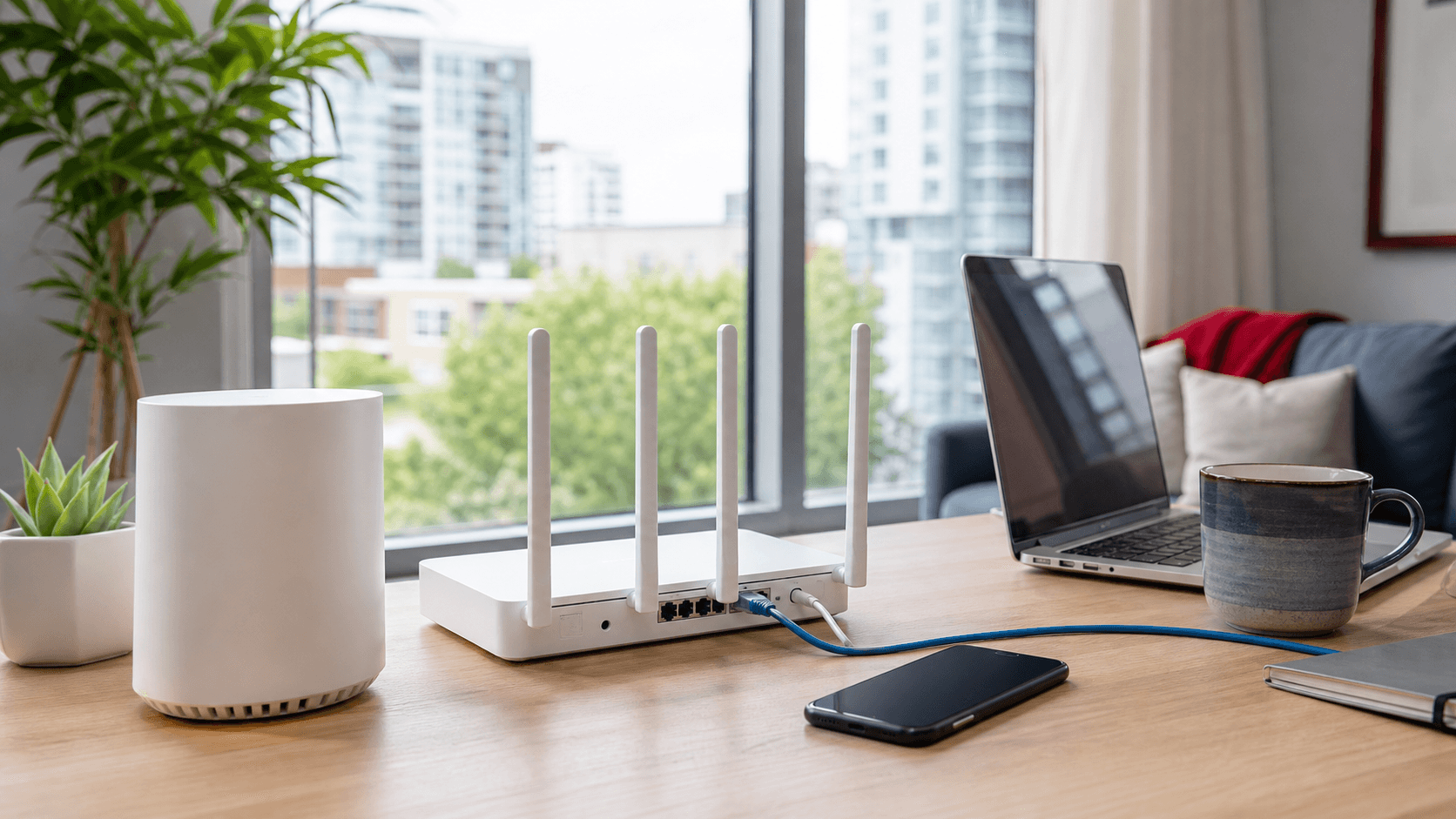
A faster internet plan still needs stronger room coverage
Basements, concrete walls, long townhouses, and detached workspaces can expose the limits of an ISP gateway. These ten exact Wi-Fi 7 mesh systems differ in node count, bands, multi-gig ports, backhaul, controls, and the amount of hardware a home actually needs.
Test the modem room and the weak rooms
A slow result beside the modem points to the service or gateway. A strong modem-room result and weak distant rooms point more clearly to coverage and backhaul.
Basements change node placement
Concrete, mechanical rooms, ducts, and floor structure can weaken wireless backhaul, so an Ethernet link may matter more than the headline Wi-Fi class.
Pack size changes both price and performance
Compare the exact two- or three-node kit. A lower price for one node is not equivalent to a complete whole-home system.
Every comparison row names one exact mesh model and pack, with its official product page, current product image, Wi-Fi class, bands, and port layout.
Check points
Internet providerConfirm gateway bridge mode, fibre or cable handoff, plan speed, VLAN requirements, and any television or phone dependencies.
ManufacturerMatch the exact model, pack count, radio bands, ports, firmware, security support, and Canadian power supply.
Canadian retailerCompare the same pack size and confirm Canadian warranty, delivery, exchange terms, and opened networking-equipment returns.
Quick brief
Start with the required node count and wired tier, then compare the exact system rather than the family name alone.
Best balanced multi-gig mesh
TP-Link Deco BE65
Homes that need Wi-Fi 7 mesh coverage and several 2.5GbE ports without moving to the highest-priced systems.
Best step-up Deco system
TP-Link Deco BE65 Pro
Multi-gig homes that want the Deco app experience with a faster wired uplink than the standard BE65.
Best high-throughput Deco
TP-Link Deco BE85
Large wired homes with 10GbE backhaul, fast local storage, and many high-bandwidth devices.
Best advanced-control mesh
ASUS ZenWiFi BT10
Power users who want high-end mesh hardware, multi-gig ports, AiMesh expansion, and deeper network controls.
Best lower-cost Wi-Fi 7 mesh
ASUS ZenWiFi BD4
Homes that want current Wi-Fi 7 client support and 2.5GbE backhaul without paying for a 6 GHz premium system.
Best three-node Orbi value
NETGEAR Orbi 770 Series 3-Pack
Larger homes that need three coordinated nodes and prefer Orbi's guided app setup.
Best high-speed tri-band Orbi
NETGEAR Orbi 870 Series 3-Pack
Large homes with a multi-gig internet service that want more headroom than Orbi 770 without the 970 price.
Best flagship two-node system
NETGEAR Orbi 970 Series 2-Pack
Very large or high-throughput homes that can cover the layout with two flagship Orbi units.
Best no-compromise large-home mesh
NETGEAR Orbi 970 Series 3-Pack
Very large multi-storey homes that genuinely need three flagship nodes, 10GbE, and maximum wireless backhaul headroom.
Best app-first single-node start
eero Max 7 1-Pack
Buyers who value guided setup, Thread and Zigbee integration, and a simple path to adding nodes later.
Check the exact model and number of units
A one-pack, two-pack, and three-pack can share the same product name. Match the model number, included router and satellites, local power supply, hardware version, and warranty before comparing prices.
Compare the 10 Wi-Fi 7 mesh systems
Compare exact model, pack, Wi-Fi class, bands, wired ports, best use, and the main reason to skip.
1. TP-Link Deco BE65
Specs / fit
tri-band Wi-Fi 7 / 2-pack or 3-pack / four 2.5GbE WAN/LAN
Check first
Four 2.5GbE ports is main + Version differences
2. TP-Link Deco BE65 Pro
Specs / fit
tri-band Wi-Fi 7 BE11000 / 1-pack, 2-pack / 10GbE plus 2.5GbE
Check first
10GbE-class uplink is main + Easy to confuse with
3. TP-Link Deco BE85
Specs / fit
tri-band Wi-Fi 7 BE22000 / 1-pack, 2-pack / two 10GbE-class ports
Check first
BE22000 tri-band system is + Very expensive works
4. ASUS ZenWiFi BT10
Specs / fit
Wi-Fi 7 / app + platform support
Check first
BE18000 tri-band is main advantage + Complex interface works
5. ASUS ZenWiFi BD4
Specs / fit
dual-band Wi-Fi 7 BE3600 / 2-pack or 3-pack / two 2.5GbE WAN/LAN
Check first
Lower entry cost is main advantage + No 6 GHz band works for use.
6. NETGEAR Orbi 770 Series 3-Pack
Specs / fit
tri-band Wi-Fi 7 BE11000 / wi-Fi 7 whole-home mesh system
Check first
Three-node pack is main advantage + Subscription prompts
7. NETGEAR Orbi 870 Series 3-Pack
Specs / fit
tri-band Wi-Fi 7 BE21000 / wi-Fi 7 whole-home mesh system
Check first
BE21000 system is main advantage + High price works for use.
8. NETGEAR Orbi 970 Series 2-Pack
Specs / fit
quad-band Wi-Fi 7 BE27000 / 10GbE internet
Check first
Quad-band BE27000 is main + Extreme price works for use.
9. NETGEAR Orbi 970 Series 3-Pack
Specs / fit
quad-band Wi-Fi 7 BE27000 / 10GbE internet
Check first
Three flagship nodes is main + Highest price works for use.
10. eero Max 7 1-Pack
Specs / fit
measuring tool / tri-band Wi-Fi 7 / 1 unit / add matching
Check first
Simple app pairing is main + Account dependence
The detailed notes explain which system fits a condo, townhouse, basement office, or large multi-storey home.
Product notes
Best balanced multi-gig mesh
1. TP-Link Deco BE65
Homes that need Wi-Fi 7 mesh coverage and several 2.5GbE ports without moving to the highest-priced systems.
Purchase information
Retail route
Canada official
Specifications
- Specs / fit
- tri-band Wi-Fi 7; local hardware version determines the stated BE class · 2-pack or 3-pack, depending on the local listing · four 2.5GbE WAN/LAN ports per unit on the cited local pages
Check first
Four 2.5GbE ports is the main advantage; check whether Version differences works for your use.
Buyer notes
Four 2.5GbE ports is the reason to shortlist it; Version differences is the reason to compare another pick.
Editor's verdict
This product balances tri-band Wi-Fi 7, four 2.5GbE ports per node, and flexible wired or wireless backhaul.
Reasons to buy
- Four 2.5GbE ports
- Tri-band 6 GHz mesh
- Flexible backhaul
Reasons to avoid
- Version differences
- Subscription features
- Placement-sensitive
Best step-up Deco system
2. TP-Link Deco BE65 Pro
Multi-gig homes that want the Deco app experience with a faster wired uplink than the standard BE65.
Purchase information
Retail route
Canada official
Specifications
- Specs / fit
- tri-band Wi-Fi 7 BE11000 · 1-pack, 2-pack, or 3-pack, depending on the local listing · 10GbE plus 2.5GbE connectivity; verify the exact local pack and hardware version
Check first
10GbE-class uplink is the main advantage; check whether Easy to confuse with BE65 works for your use.
Buyer notes
10GbE-class uplink is the reason to shortlist it; Easy to confuse with BE65 is the reason to compare another pick.
Editor's verdict
This product adds a 10GbE-class wired path while keeping the more approachable Deco mesh format.
Reasons to buy
- 10GbE-class uplink
- Tri-band Wi-Fi 7
- Deco mesh management
Reasons to avoid
- Easy to confuse with BE65
- Higher price
- Needs multi-gig network gear
Best high-throughput Deco
3. TP-Link Deco BE85
Large wired homes with 10GbE backhaul, fast local storage, and many high-bandwidth devices.
Purchase information
Retail route
Canada official
Specifications
- Specs / fit
- tri-band Wi-Fi 7 BE22000 · 1-pack, 2-pack, or 3-pack, depending on the local listing · two 10GbE-class ports and two 2.5GbE ports per unit on the cited pages
Check first
BE22000 tri-band system is the main advantage; check whether Very expensive works for your use.
Buyer notes
BE22000 tri-band system is the reason to shortlist it; Very expensive is the reason to compare another pick.
Editor's verdict
This product has the strongest radio and wired-port specification among the three Deco systems compared here.
Reasons to buy
- BE22000 tri-band system
- Two 10GbE-class ports
- Strong wired backhaul
Reasons to avoid
- Very expensive
- Overkill for basic plans
- Large investment before testing placement
Best advanced-control mesh
4. ASUS ZenWiFi BT10
Power users who want high-end mesh hardware, multi-gig ports, AiMesh expansion, and deeper network controls.
Purchase information
Retail route
Canada official
Specifications
- Specs / fit
- Wi-Fi 7 · app and platform support
Check first
BE18000 tri-band is the main advantage; check whether Complex interface works for your use.
Buyer notes
BE18000 tri-band is the reason to shortlist it; Complex interface is the reason to compare another pick.
Editor's verdict
This product combines a fast tri-band mesh with more advanced routing controls than app-first systems usually provide.
Reasons to buy
- BE18000 tri-band
- Advanced controls
- Multi-gig wired options
Reasons to avoid
- Complex interface
- Premium price
- Firmware-sensitive features
Best lower-cost Wi-Fi 7 mesh
5. ASUS ZenWiFi BD4
Homes that want current Wi-Fi 7 client support and 2.5GbE backhaul without paying for a 6 GHz premium system.
Purchase information
Retail route
Canada official
Specifications
- Specs / fit
- dual-band Wi-Fi 7 BE3600 · 2-pack or 3-pack, depending on the local listing · two 2.5GbE WAN/LAN ports per unit
Check first
Lower entry cost is the main advantage; check whether No 6 GHz band works for your use.
Buyer notes
Lower entry cost is the reason to shortlist it; No 6 GHz band is the reason to compare another pick.
Editor's verdict
This product is the clearest value step into this comparison, but its dual-band design makes the tradeoff explicit.
Reasons to buy
- Lower entry cost
- Dual 2.5GbE ports
- AiMesh expansion
Reasons to avoid
- No 6 GHz band
- Shared wireless backhaul
- Lower throughput tier
Best three-node Orbi value
6. NETGEAR Orbi 770 Series 3-Pack
Larger homes that need three coordinated nodes and prefer Orbi's guided app setup.
Purchase information
Retail route
Canada official
Specifications
- Specs / fit
- tri-band Wi-Fi 7 BE11000 · 1 router and 2 satellites · 2.5GbE internet and LAN connectivity; check each router and satellite port layout
Check first
Three-node pack is the main advantage; check whether Subscription prompts works for your use.
Buyer notes
Three-node pack is the reason to shortlist it; Subscription prompts is the reason to compare another pick.
Editor's verdict
This product is the least expensive three-node Orbi option in this set while retaining tri-band Wi-Fi 7.
Reasons to buy
- Three-node pack
- Tri-band Wi-Fi 7
- Guided setup
Reasons to avoid
- Subscription prompts
- Fewer advanced controls
- Three nodes may be unnecessary
Best high-speed tri-band Orbi
7. NETGEAR Orbi 870 Series 3-Pack
Large homes with a multi-gig internet service that want more headroom than Orbi 770 without the 970 price.
Purchase information
Retail route
Canada official
Specifications
- Specs / fit
- tri-band Wi-Fi 7 BE21000 · 1 router and 2 satellites · 10GbE internet plus 2.5GbE LAN connectivity; verify router and satellite layouts
Check first
BE21000 system is the main advantage; check whether High price works for your use.
Buyer notes
BE21000 system is the reason to shortlist it; High price is the reason to compare another pick.
Editor's verdict
This product raises the radio and wired tier substantially while remaining a tri-band three-node system.
Reasons to buy
- BE21000 system
- 10GbE internet port
- Three-node coverage
Reasons to avoid
- High price
- Subscription ecosystem
- Placement-sensitive
Best flagship two-node system
8. NETGEAR Orbi 970 Series 2-Pack
Very large or high-throughput homes that can cover the layout with two flagship Orbi units.
Purchase information
Retail route
Canada official
Specifications
- Specs / fit
- quad-band Wi-Fi 7 BE27000 · 1 router and 1 satellite · 10GbE internet and multi-gig LAN connectivity
Check first
Quad-band BE27000 is the main advantage; check whether Extreme price works for your use.
Buyer notes
Quad-band BE27000 is the reason to shortlist it; Extreme price is the reason to compare another pick.
Editor's verdict
This product provides the Orbi 970 radio and 10GbE platform without paying for a third satellite.
Reasons to buy
- Quad-band BE27000
- 10GbE platform
- Two-node flagship option
Reasons to avoid
- Extreme price
- Large hardware
- Overkill for ordinary plans
Best no-compromise large-home mesh
9. NETGEAR Orbi 970 Series 3-Pack
Very large multi-storey homes that genuinely need three flagship nodes, 10GbE, and maximum wireless backhaul headroom.
Purchase information
Retail route
Canada official
Specifications
- Specs / fit
- quad-band Wi-Fi 7 BE27000 · 1 router and 2 satellites · 10GbE internet and multi-gig LAN connectivity
Check first
Three flagship nodes is the main advantage; check whether Highest price works for your use.
Buyer notes
Three flagship nodes is the reason to shortlist it; Highest price is the reason to compare another pick.
Editor's verdict
This product is the highest-capacity and widest-pack option here, making it the performance ceiling rather than the default recommendation.
Reasons to buy
- Three flagship nodes
- Quad-band BE27000
- 10GbE connectivity
Reasons to avoid
- Highest price
- Large footprint
- Massive overcapacity for most homes
Best app-first single-node start
10. eero Max 7 1-Pack
Buyers who value guided setup, Thread and Zigbee integration, and a simple path to adding nodes later.
Purchase information
Retail route
Canada official
Specifications
- Specs / fit
- tri-band Wi-Fi 7 · 1 unit; add matching units only after measuring coverage · two 10GbE and two 2.5GbE ports
Check first
Simple app setup is the main advantage; check whether Account dependence works for your use.
Buyer notes
Simple app setup is the reason to shortlist it; Account dependence is the reason to compare another pick.
Editor's verdict
Max 7 offers strong multi-gig ports and an approachable app while letting a buyer start with one exact unit.
Reasons to buy
- Simple app setup
- Four multi-gig ports
- Thread and Zigbee support
Reasons to avoid
- Account dependence
- Subscription features
- One unit may need expansion
Top 3 picks
#1 Best balanced multi-gig mesh - TP-Link Deco BE65
This product balances tri-band Wi-Fi 7, four 2.5GbE ports per node, and flexible wired or wireless backhaul.
#2 Best step-up Deco system - TP-Link Deco BE65 Pro
This product adds a 10GbE-class wired path while keeping the more approachable Deco mesh format.
#3 Best high-throughput Deco - TP-Link Deco BE85
This product has the strongest radio and wired-port specification among the three Deco systems compared here.
Final thoughts
Deco BE65 is the most balanced starting point, while ZenWiFi BD4 trades 6 GHz for a lower price and may work best with Ethernet backhaul.
Orbi 770 and eero Max 7 favour guided app setup; ASUS BT10 gives advanced users more control and multi-gig flexibility.
The highest-priced Deco BE85 and Orbi 970 systems make sense only after the service, cabling, switches, local devices, and home layout show a need for their capacity.
What to check before buying
Replacing the network before testing the service
A mesh system cannot repair an ISP outage, damaged line, overloaded service, or gateway problem that is already slow beside the modem.
Comparing a one-pack price with a three-pack
The product name can look identical while the number of included nodes changes the cost and the coverage plan.
Assuming Wi-Fi 7 always includes 6 GHz
ASUS ZenWiFi BD4 is a dual-band Wi-Fi 7 system, while the other models here include a 6 GHz radio.
Discarding the packaging after setup
Coverage disappointments often appear only after several days, and opened multi-node kits can be difficult to return without every insert and adapter.
Wireless or Ethernet backhaul?
Wireless backhaul is easier to install, but walls, floors, ducts, and distance reduce its capacity. Ethernet backhaul gives each node a more predictable link and can make a less expensive mesh system outperform a premium kit with poor placement.
Before you buy
- Test the current connection beside the gateway and in every weak room.
- Confirm ISP gateway bridge mode, fibre or cable handoff, plan speed, and television or phone dependencies.
- Choose the minimum useful node count and identify any Ethernet backhaul locations.
- Match the exact model number, pack count, bands, WAN port, LAN ports, and subscription features.
- Confirm Canadian power adapters, firmware support, warranty, delivery, and opened networking-equipment returns.
Editor's comment
All ten entries are exact whole-home Wi-Fi 7 mesh systems. Standalone routers, access points, Wi-Fi 6 kits, extenders, ISP gateways, switches, and broad marketplace listings are not mixed into the ranking.
FAQ
+Do I need Wi-Fi 7 for a gigabit plan?
Not necessarily. Coverage, device support, Ethernet backhaul, and the gateway handoff often matter more. Wi-Fi 7 is easier to justify when several current devices and multi-gig wired links can use it.
+How many mesh units should I buy?
Use the smallest number that covers the measured weak rooms. Basements, garages, long layouts, and multiple floors may need a third node, but compact homes often do not.
+Why does Ethernet backhaul matter?
It gives each satellite a wired connection to the network, reducing the capacity lost to walls, distance, and shared wireless backhaul.
+Can I remove the ISP gateway?
It depends on the provider, service type, bridge-mode support, television or phone services, and authentication requirements. Confirm those details before changing the network.
About the author

Lena Foster
Electronics Editor
Lena Foster covers Electronics for TrendBrief. The focus is device compatibility, protocol support, heat, and warranty, the differences that shape everyday fit and use.
See all Briefs by Lena Foster